Your own footageGuide
Archive video ad assets without losing the next edit
Short answer
Archive the approved ad together with the files and decisions needed to revise it: source media, editable recipe, captions, audio, graphics and a dependency manifest. Verify the copied package by reopening it from its archive location. Keep rights records and version identity attached, and preserve originals while checking the archive.
The next edit often starts after the active production round has ended. Someone asks for a new crop, a translated voice or an updated closing card, and the final export cannot supply every layer. An archive should preserve the approved reference and a practical route back to the editable work.
What must the next editor recover?
Define the archive’s purpose before moving files. Is it a record of what was delivered, a package for minor revisions or a source library for future recuts? Those purposes need different dependencies. A flattened export can document the delivery while leaving the next editor unable to remove captions or replace music cleanly.
In our production in October 2026, an editable recipe binds the final video to its source clips. Keep that recipe with the approved export and identify the exact version. The small-business footage workflow explains the wider library approach; this page focuses on preserving a completed round so it can be reopened.
Choose full sources or a consolidated package
A full-source package retains more room for future recuts. A consolidated package can focus on the selected edit and any retained handles. State which kind you are creating, what it includes and which future changes it is intended to support. Do not call a package complete simply because its folder copied successfully.
Adobe’s Premiere archiving guide, checked October 2026, documents consolidation and transcoding of selected sequences, with options for unused clips and handles. Inspect those settings in the tool you actually use. A trimmed archive may preserve the approved edit while omitting material needed for a substantially different story.
| Archive component | Suggested reason to retain it |
|---|---|
| Approved export | Reference for the visible and audible delivery |
| Editable project or recipe | Reconstruct the assembly and layer decisions |
| Source media | Revisit selected intervals and possible recuts |
| Voice, music and sound stems | Revise the mix without flattened audio |
| Captions and graphic sources | Change text without recreating every layer |
| Dependency and approval records | Identify what the package contains and why |
Source: Turntake’s proposed archive checklist, October 2026; software-specific settings should be checked in their own documentation.
In a hypothetical organizer archive, the approved export is the reference for what the editor must recover. The manifest explains where its editable dependencies belong, and the restore check tests whether those dependencies can be found without the active working folder. A successfully opened project still needs a rendered comparison: missing captions or a substituted font can survive the relink step. This example does not imply a current Turntake archive feature.
List the files the project needs, using stable identities and paths relative to the archive where practical. Include the role of each asset: source footage, selected clip, voice, music, caption file, graphic or approved reference. Record relevant project and renderer versions so the next operator knows which environment produced the result.
A suggested manifest can also include duration, dimensions and a file hash. These fields help verify identity; they do not establish that the shot is correct or that the edit communicates the approved message. Keep a human-readable note for exceptions such as externally linked material that could not be collected.
Preserve sound and text separately
Save the approved spoken script, clean voice and editable caption track alongside the final mix. A language revision may need the standard spelling even when the speech input used phonetic spelling. Keep the voice input distinguishable from the text intended for viewers.
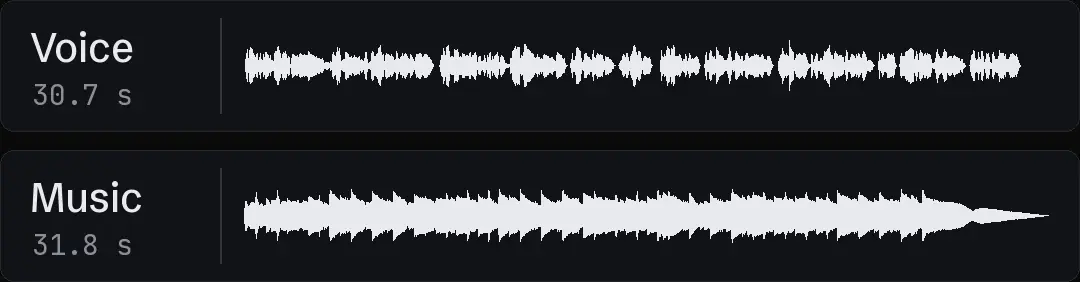
Store music and effects as separate dependencies when the project permits it, with the intended edit and fade decisions. The combined soundtrack is an important reference, but it does not offer the same control for a new voice or a different duration. Preserve graphic source files and the settings needed to rebuild essential labels rather than relying only on a burned-in frame.
- 01Define restoration purposeReference, revision or recut
- 02Collect explicit dependenciesMedia, recipe, text and sound
- 03Verify the copied packageOpen from the archive location
- 04Index the accepted archiveIdentity and known limitations
Keep identity and permission records
Retain original asset IDs even if the archive uses friendlier folder names. A renamed copy should still point back to its source record. In our October 2026 library work, file names alone were insufficient to identify clean footage behind finished ads, so we retain source mappings rather than relying on labels such as final or clean.
Keep a reference to the applicable permission record and any stated scope or expiry. File availability and permission for a new use are separate questions. If the next brief changes the intended use, review the record before reusing the asset. An archive index can flag an unresolved permission without guessing at its answer.
Test a restoration from the archive
Open a copied package from its archive location, with the active working folder unavailable to that test. Otherwise an apparently successful restoration may still be reading the original sources. Check for missing-media warnings, substitute fonts, absent graphics and changed sound.
Render a representative interval and compare it with the approved export. Include a section with captions, a layered graphic and a sound transition if those are present in the project. In our production in October 2026, media is verified after copying; an archive restoration extends that principle to the editable dependencies. Record any difference and preserve the originals while investigating it.
- Copy checkExpected files arrivedRestoration checkProject resolves the collected dependencies
- Copy checkFile identities matchRestoration checkText, sound and graphics remain usable
- Copy checkTransfer completedRestoration checkA reviewed interval matches the reference
Index the package by future use
Add a short description of the approved message, visible product action, available formats and useful source intervals. AI tagging for a video library explains how suggestions should remain tied to visible evidence. Do not treat an archive label as proof that every included clip has been reviewed for a new purpose.
Enough footage for new ads assesses what a library can actually support. Finding hook selects in editor projects shows why project decisions can be valuable beyond the final export. Keep those source selections traceable instead of collecting only a thumbnail and a promising file name.
Close the active round without losing history
Give the archive a status that reflects its checks: collected, restoration pending or verified for its stated purpose. Note what remains outside the package and who owns any unresolved dependency. Preserve the approved reference, prior versions and the decisions that explain the final assembly.
Video asset IDs and names covers identity, while version control for video ads identifies the approved cut. Turntake’s own-content approach describes how source footage fits the production workflow. A useful archive lets the next editor start from known assets and explicit limitations, with the original material preserved while the next revision is reviewed.
Who wrote this We made the ads first, for SmartSolar in Denmark, Sweden and Ireland. Then we built Turntake. Where Turntake comes from
FAQ
Is the final MP4 enough to archive a video ad?
It preserves the visible delivery, but usually not the editable layers or unused source intervals. Keep it as a reference alongside the recipe and dependencies. The next revision may need clean speech, caption text, graphics or footage absent from the flattened export.
Should I archive full source files or trimmed media?
Choose based on the revisions you expect and the preservation requirements of the project. A trimmed package can retain the selected edit while limiting later recuts. Record what was excluded, and preserve originals while verifying that the archive meets its purpose.
How do I know the archive can be restored?
Open a copied package from its archive location and check media links, text, graphics, sound and a representative render. Compare that render with the approved reference. A successful file copy establishes transfer, while restoration tests whether the editing dependencies remain usable.
Should asset permissions be kept with the archive?
Keep a reference to the applicable permission or rights record, its scope and any relevant expiry information. An accessible file does not establish permission for a new use. If the record is unclear, resolve it before reusing the material in another ad.
Sources
- Adobe: Consolidate and archive Premiere projects checked 11 October 2026
Facts from the sources below were checked on the date shown. Pages change, so read the source again before you rely on it.