Your own footageGuide
Build a product video shot list from proof needs
Short answer
Build a product shot list from the claims and mechanisms the ad must show. Capture a readable wide view, a useful medium action and close details that provide evidence. Record the product version, action, framing and source ID for every shot, then inspect the footage before deciding which gaps require another recording or an illustrative asset.
Begin with proof needs
A shot list should answer what the viewer must be able to see, not simply enumerate fashionable camera angles. Read the approved product statement and identify the action or detail that could support it. Turn those proof needs into filmable coverage, with enough context to connect each detail to the explanation.
In our production in October 2026, real product behavior and readable screens are filmed when they carry the evidence. ai ad workflow small business provides the small-business context. This guide focuses on useful coverage: enough material to explain the mechanism clearly without asking an editor to manufacture a demonstration from unrelated beauty shots.
A hypothetical storage case script describes its latch closing. A polished picture of the already closed case can establish appearance, but cannot show that movement. The shot list therefore requests context plus a close view of the full action and contact point. Keep the camera steady enough to inspect what happens. When reviewing the coverage, ask whether the narration can be understood from the captured evidence before adding more decorative angles.
For a hypothetical organizer, “removable divider” calls for a shot of the divider being removed, with the container visible enough to understand the relationship. A close image of an already empty compartment may not establish what moved or how.
Write the action in plain terms: start state, person or tool, movement and end state. Keep the actual product version and conditions in the register. If the action depends on a hidden latch, capture that detail separately. Do not invent a smoother mechanism for the camera. The goal is useful evidence of the real product, even when the natural action takes a little longer than a stylized animation would.
| Check | Suggested action |
|---|---|
| Claim | Translate meaning into visible action |
| Coverage | Choose scales for specific jobs |
| Register | Preserve product and source IDs |
| Review | Check actual demonstration visibility |
Source: Turntake editorial checklist (proposed), October 2026.
Capture wide, medium and close coverage with purpose
The wide view establishes the setting and object. The medium view carries the main action. The close detail shows the feature or connection the viewer needs to inspect. Those are jobs, not a requirement to collect three arbitrary angles of every object.
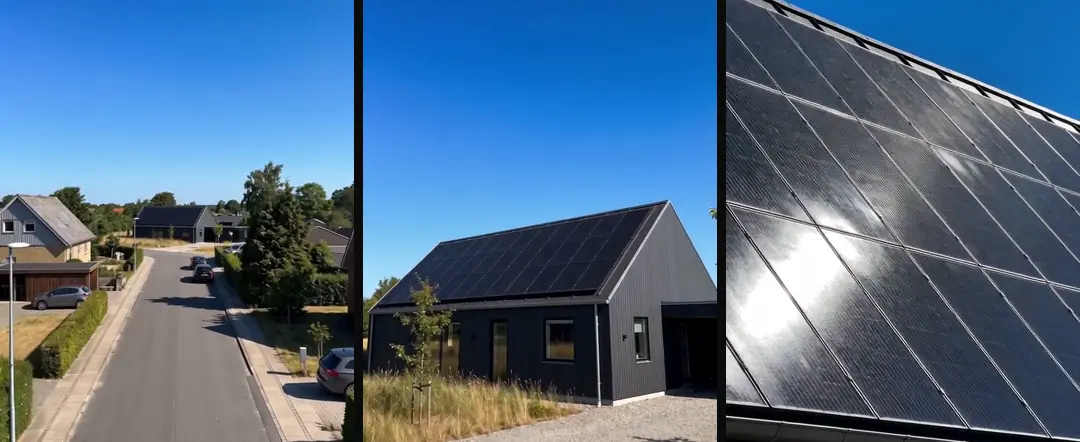
Avoid changing conditions between the views if the edit will present them as one continuous action. Keep prop positions, product state and light reasonably consistent. In our October 2026 library method, descriptions record what is visible and how it moves. Give the editor source intervals with enough lead-in and ending to make a clean cut, rather than trimming every clip to the exact instant of the action.
- 01Read approved claimName required visible evidence
- 02List wide, medium, close jobsCapture useful coverage
- 03Record source and actionPreserve shot register
- 04Inspect actual footageFill specific gaps
Write a shot register before recording
Assign a shot ID, product ID, purpose, framing, action, evidence note and expected use. The register can be a simple table. Its value is that the operator knows which action is missing and the editor knows why a shot exists.
Film phone b-roll that is useful in an ad edit covers phone b-roll capture. Keep the shot list focused on the communication need while the filming plan handles exposure, stability and sound. If the source is a phone, preserve the original file and inspect timing behavior before using it in a tightly synchronized edit. Variable frame rate footage in a video ad edit covers variable frame-rate footage. A correctly framed demonstration can still require a technical preparation step before editing.
Collect real interfaces and readable details
If the shot’s value is a number, label or interface action, use the real source or a controlled graphic built from approved data. In our production in October 2026, readable screens are not delegated to image generation as evidence.
Record the version or date of the interface when that matters. A changed button name can make an otherwise clear closing instruction inaccurate. Keep private information out of the frame, and choose a suitable demonstration state before recording. The shot list should say which visible text is necessary and which material is incidental, so the operator can frame the evidence without including unrelated information.
- Shot scaleWideCommunication jobEstablish object and setting
- Shot scaleMediumCommunication jobShow complete action
- Shot scaleCloseCommunication jobReveal the relevant detail
- Shot scaleControlled screenCommunication jobShow readable real information
Inspect what was actually captured
Play the source files and mark usable intervals. Check focus on the relevant feature, whether a hand blocks the mechanism and whether the final state is visible long enough to understand. A completed row in the shot list does not establish that the footage is usable.
Keep rejected takes with a short reason until the coverage decision is complete. Deduplicate a video library while keeping provenance covers duplicate handling and source provenance. Several nearly identical takes may differ in the one moment that matters: one shows the latch opening cleanly while another hides it. Do not discard them based only on a filename or thumbnail. Review the actual action before choosing the preferred source.
Fill the gaps in order of evidence
Use existing footage first, record a missing real action next and choose an illustrative asset only where illustration is honest. A generic mood shot can be generated without pretending to show a product capability. A hand demonstrating a real mechanism needs real evidence.
Turntake’s content library approach describes Turntake’s content-library approach. The final handoff should include the register, original sources, selected intervals and unresolved gaps. Mark any shot that is an illustration rather than product proof.
For a suggested coverage review, ask the editor to point to the exact shot supporting each mechanism line. If the editor can only suggest a crop of unrelated footage, the list still has a gap. Revisit that specific action before production moves forward. This keeps the shoot small while making the resulting material substantially more useful than a large folder of attractive but unassigned clips.
Preserve the beginning and ending of an action
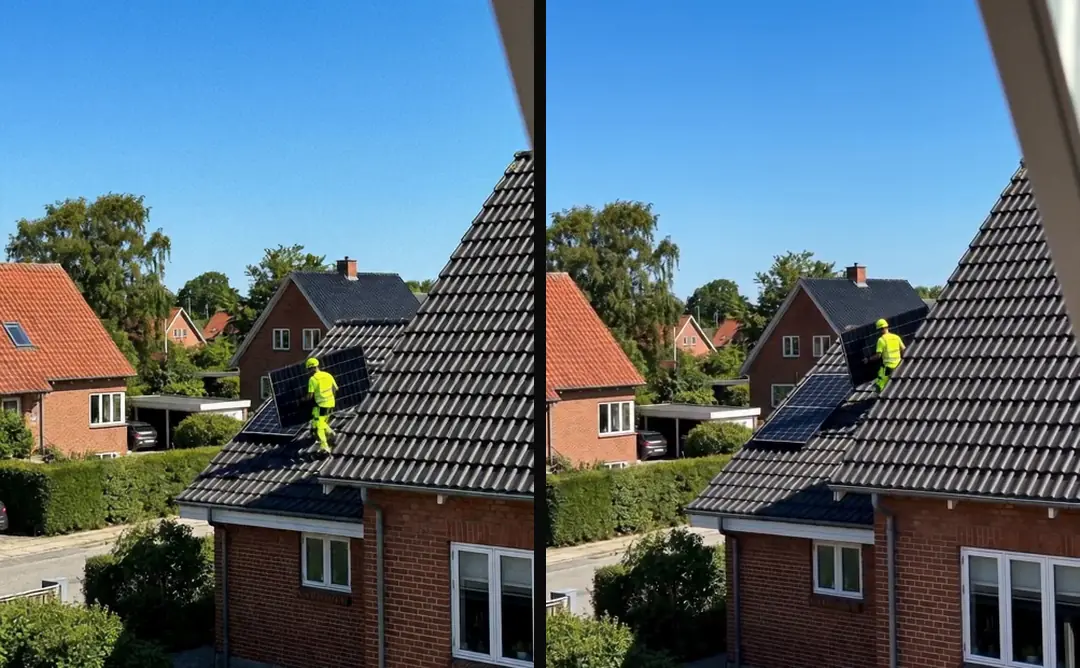
For a hypothetical lid-opening shot, capture the closed state, the hand entering, the complete opening and a readable open state. A tight crop that starts with the lid already moving may leave the mechanism unclear. Keep the full original and mark the useful interval instead of replacing it with a permanently shortened file. The editor can then choose the cut point while retaining enough context to explain what changed and why the action matters.
Who wrote this We made the ads first, for SmartSolar in Denmark, Sweden and Ireland. Then we built Turntake. Where Turntake comes from
FAQ
What should a product video shot list contain?
Build a product shot list from the claims and mechanisms the ad must show. Capture a readable wide view, a useful medium action and close details that provide evidence. Record the product version, action, framing and source ID for every shot, then inspect the footage before deciding which gaps require another recording or an illustrative asset.
How do I translate each claim into a filmable action?
For a hypothetical organizer, “removable divider” calls for a shot of the divider being removed, with the container visible enough to understand the relationship. A close image of an already empty compartment may not establish what moved or how.
How do I capture wide, medium and close coverage with purpose?
The wide view establishes the setting and object. The medium view carries the main action. The close detail shows the feature or connection the viewer needs to inspect. Those are jobs, not a requirement to collect three arbitrary angles of every object.
How do I write a shot register before recording?
Assign a shot ID, product ID, purpose, framing, action, evidence note and expected use. The register can be a simple table. Its value is that the operator knows which action is missing and the editor knows why a shot exists.