Your own footageGuide
AI b-roll for product ads: what to generate and what to film
Short answer
Generate the mood and film the proof. AI b-roll works for places, atmosphere and a slow move on a real packshot. Anything whose value is text, a screen, a hand using the product or what the product can do should be filmed, so the ad never fakes a customer or a result.
A generated shot can make a product ad look finished, and it can also put something on screen that nobody filmed. A lot of the b-roll in our own ads is generated, and the rule that kept those ads honest is short. If the value of a shot is the atmosphere, generate it. If the value is a piece of text, a number or an interface, film it.
What is the value of the shot?
- The mood: a place, a room, the weatherGenerate
- A slow move on your own packshotGenerate from your photo
- Text, a number or an interfaceFilm
- A hand, a reaction or what the product can doFilm
Where is the line between generating and filming?
| Shot | Generate or film | Why |
|---|---|---|
| A place, a room, weather, atmosphere | Generate | The value is the mood, and nobody reads the details |
| A slow camera move on a real packshot | Generate from your own photo | The product keeps its shape, so the picture stays true |
| A website, form, bill, calculator or price comparison | Film | Generated text, numbers and interfaces turn to gibberish |
| Readable digits on a meter or a screen | Film | A wrong digit is a false claim |
| A hand using the product | Film | Fine finger motion drifts, and the shot is a claim about the product |
| A reaction, or a person talking | Film | A generated one puts a made-up customer in your ad |
| What the product can do | Film the real thing | An ad shouldn’t claim what a model invented |
Source: our own production rules, October 2026.
This table is about b-roll and about filling the gaps in a brand’s own library. AI talking heads are a separate format with their own rules, covered in AI UGC talking head ads.
When we need a real screen, we film it. We point a phone at the actual form or page, with a hand at the edge of the frame, instead of using a flat screen recording. Maps and graphs we build as HTML and record in a headless browser, so every digit on screen is ours.
What four checks should every b-roll clip pass?
A clip stays in the ad only if it passes all four.
- A reason to film. Someone would really have pointed a camera at this.
- The product is relevant in the frame. It is part of the shot, not decoration.
- Motion with a purpose. Something happens, and it matters to the beat.
- Raw, not polished. It looks like it came from a phone, not from a studio.
We cut the passive clips: arms crossed and looking up, or staring out of a window. The most common AI tell in our solar ads was a person looking up at the roof or the sky, so we never write looks up in a prompt.
Which prompts hold up?
Three habits stood out in our own ads in autumn 2026, and each one came from clips we threw away.
Prompt like a phone, not like a studio. In our stills, the image model drifted toward cinematic color, rim light and shallow depth of field unless we ruled them out. We ask for candid smartphone photo, bright even lighting, slightly imperfect framing and forbid the cinematic look. Dark interiors have to be prompted bright. If a picture comes back moody, we reject it and generate again, and we don’t grade it. The test is whether it would pass as an employee’s phone photo.
Name the place. In our tests, image models fell back to a generic location when we didn’t say where. An installer ended up in an Australian suburb, and interiors came out American. Name the country and its local buildings and materials, and check every reused clip for signs in another language.
Write precise materials. In our tests in autumn 2026, the model matched materials to what surrounded them, and a solar panel turned into a blue roof tile. We write the material, such as corrugated steel or all-black panels, and say what the object is not. That holds for any product detail.
Two tools did most of this work for us. Google’s image generation documentation describes Nano Banana as editing existing images from text prompts and accepting several reference images, with limits that depend on the model. ByteDance Seed’s page for Seedance 2.0 lists text, image, audio and video as inputs. We checked both in October 2026.
In our own ads we made stills with the first and motion with the second, through one API provider. Prompting each is covered in Nano Banana for ads and Seedance for ads.
What do we cut?
Some things never survived a contact sheet. We cut hands, people seen from behind, because they read as stock, and any cozy, warm or sunset mood. We cut clock metaphors for time and near-duplicate clips. In our tests, a prompt like POV as if I’m filming made the model put a large blurred thumb in the frame, so we write no hands or fingers in frame.
Fine hand work was the hardest. Writing, counting coins and handshakes made fingers morph in our tests. In a claymation world the hands came out photoreal and huge whatever the prompt said, so we used small clay workers on ladders instead.
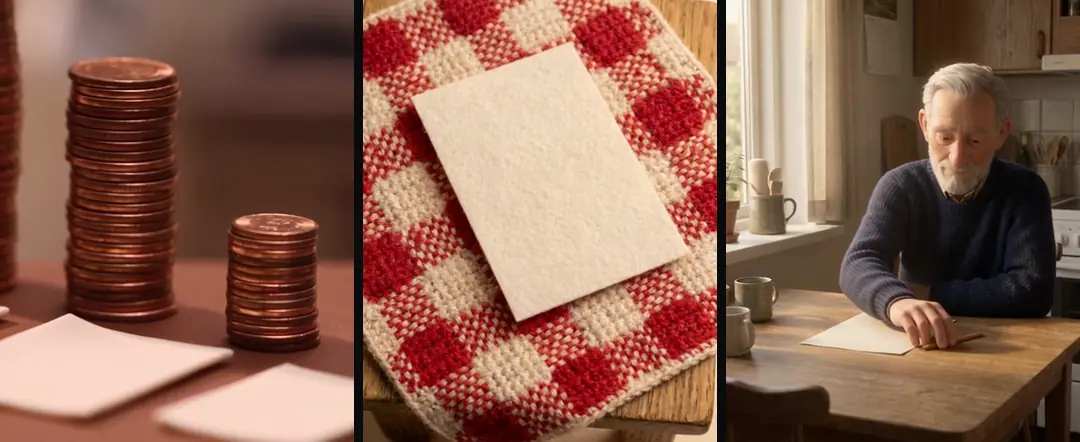
In our ads, text, numbers and screens are never generated. We turn paper and screens into an object with a property, for example every sheet of paper is completely blank. In our tests, a model could write a single word right when the prompt spelled it out literally and said it was the only text in the shot. Anything longer, and every number or sign, gets burned on afterward with a locked camera and a perspective-warped overlay.
What should the call-to-action shot show?
The call-to-action shot shows the real thing: the real form or the real screen, never an AI neighbor of it. If the ad says to fill in a form, the shot is the form.
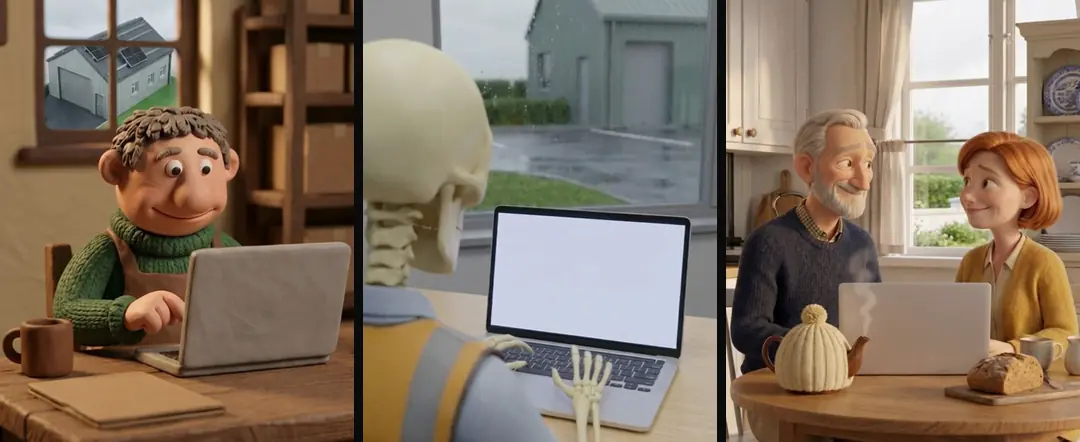
Rotate that shot across a batch, so that two ads in the same batch don’t land on the same call-to-action clip. How we log which clip ran where is covered in rotating a b-roll library.
Why keep one place per ad?
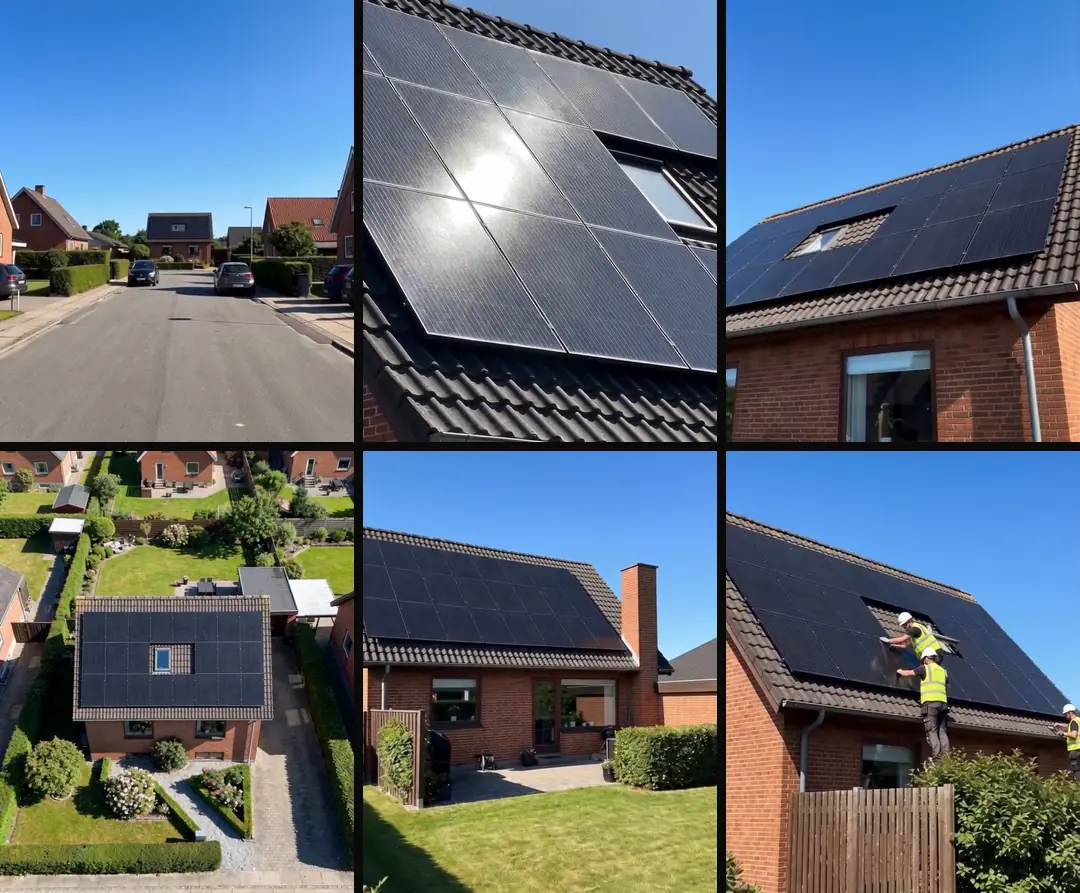
When every house, roof or workshop clip is its own generation, an ad becomes a tour of ten different places.
So build a scene pack. Generate the same place from about six clearly different angles, never two frontal ones, and use the anchor image as the reference each time. Then give each ad one pack.
What do we do about the gaps?
Our plan for a gap in a brand’s library has three steps, and it is the same order as the plan for the gaps we show for your own footage. Find it in your own footage first. Film it second. Use AI last, and only where that is honest: b-roll without the product, text cards built from the brand’s own files, and a slow camera move on a real packshot where the product doesn’t change shape. Never use AI for a talking head, a reaction, a hand demonstrating the product or a product promise.
In Turntake, Make what’s missing Early access covers new concepts, scripts and clips, library first. AI fill-ins Coming would add AI for the gaps, only where that is honest, and Film kit Coming would list the real screens and moments to film yourself. Neither of those two can be run today. Early access: we set it up with you. Coming: we’re building it.
For the whole workflow around this, see the AI ad workflow for small businesses, which begins with the footage you already have. Our b-roll library guide shows how to keep what you make.
Who wrote this We made the ads first, for SmartSolar in Denmark, Sweden and Ireland. Then we built Turntake. Where Turntake comes from
FAQ
Can AI make b-roll for a product ad?
Yes, for shots where the value is the mood: places, atmosphere and a slow move on a real packshot. We film anything whose value is text, a screen, a hand using the product or what the product can do. Our rule is to generate the mood and film the proof, so the ad never fakes a result.
Should AI show my product being used?
We don’t let it. A hand using a product is a claim about what the product does, and fine finger motion is where our AI clips drifted most. Film the real thing instead, or use a slow camera move on a real packshot, where the product keeps its shape.
Why does AI b-roll look like stock footage?
In our stills, the model added polish we hadn’t asked for: it smoothed skin, tidied rooms and fell back to a generic place. In our tests in autumn 2026, asking for a candid phone photo, a named country and a lived-in room reduced the stock look. We also cut people seen from behind, because they read as stock.
Can AI make a screen recording of my site?
We don’t generate screens. In our tests, generated text, numbers and interfaces turned to gibberish, and a screen shot is only worth something when you can read it. Film the real screen with a phone, or record the real page. We build maps and graphs as HTML and record them in a browser.
Why do my AI clips look dark and moody?
In our tests in autumn 2026, the models leaned toward cinematic grading, so dark rooms stayed dark. We prompted indoor scenes bright, asked for a candid phone photo with even lighting, and ruled out rim light and shallow depth of field. If a clip still comes back moody, we reject it and generate again.
Sources
- ByteDance Seed: Seedance 2.0 checked 10 October 2026
- Google AI for Developers: Nano Banana image generation checked 10 October 2026
Model facts come from each maker’s own documentation, checked on the date shown. Models change, so read the source again before you plan a batch.