ModelsModel guide
Nano Banana for ads: start frames, product stills and the same person twice
Short answer
Use Nano Banana for the still a shot starts from: the product in place, the person, the room, and any text the frame needs, written in the market’s language. Prompt it like a phone camera, not like an ad, and give it the original portrait as the reference for every new scene.
In our own ads, a video shot was only as good as the still it started from: a wrong roof, a stray phone or a retouched face carried straight into the motion. In autumn 2026, Nano Banana made those start frames, the stills a video shot begins from. This guide covers the prompts and rules we rely on. Facts about the model come from Google, with a link. What we saw ourselves is dated and labeled as ours.
What Nano Banana is, according to Google
Nano Banana is Google’s name for Gemini’s native image generation. These are the facts we rely on:
| Fact | What Google says |
|---|---|
| Names | The Gemini API docs list several models, among them Nano Banana 2.1, Nano Banana 2, Nano Banana Pro (Gemini 3 Pro Image) and the original Nano Banana (Gemini 2.5 Flash Image), which the docs call legacy |
| Reference images | Up to 14 per request, with limits for objects and characters that differ by model |
| Text | The models can generate legible, stylized text for marketing assets and diagrams; Google’s Nano Banana Pro page lists small faces, accurate spelling and fine details among things that can still go wrong |
| Aspect ratios | 4:5 and 9:16 are among the ratios the docs list |
| Editing | Conversational, over several turns |
| Marking | All generated images carry a SynthID watermark |
Source: Google, Gemini API docs, updated 9 October 2026, and the Google DeepMind Nano Banana Pro page, checked October 2026.
Names and limits move quickly. Read the model table in the docs on the day you work, and treat any blog post, including this one, as a dated copy. Where this model sits among the other jobs in an ad is in Seedance vs Kling vs Veo.
Start frames, not finished ads
We ask Nano Banana for the still a shot starts from, not for a finished ad. Text in the shot is born in the start frame, written by the image model in the market’s language. If the animation later bends the text, we put it back as an overlay. Everything important stays inside the 4:5 area of the frame (y 285–1635 on 1080×1920).
Google’s prompting tips for Nano Banana Pro say the same about words in a picture: state exactly what text should appear and how it should look. The next step is motion. How to use Seedance for ads takes the approved frame from here.
Product stills
Four rules came out of our product images:
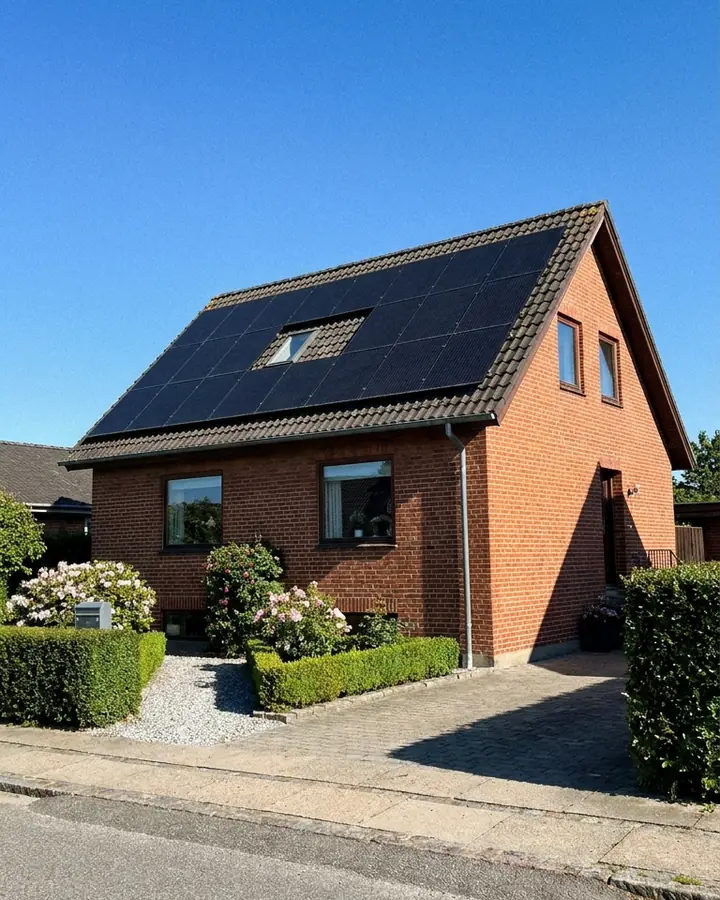
- Write precise materials. In our tests in autumn 2026, the model matched materials to their surroundings, and a solar panel on a roof turned into a blue roof tile. Write the material and say what the object is not, such as corrugated steel and all-black panels.
- Pick the simplest version of the object. Complex roof shapes made the panels on four faces a mess in our tests.
- Prompt like a camera, not like an advert. Our first house images were too clean and symmetrical, and one looked like a 3D render. The next batch was prompted as photographs: moss on the tiles, crooked downpipes, a bin at the edge of the frame, worn grass, a slightly tilted horizon and grain.
- Don’t ask for an exact count. In our tests an image model kept drawing too many panels across, however explicitly the prompt asked for fewer, and a retry made it worse once. Numbers belong in a diagram or text you build yourself, not in a generated photo.
Real screens are a different job. Websites, forms and bills are filmed, never generated. If the value of a shot is the text, the number or the interface, film it. If the value is the mood, generate it. AI b-roll for product ads draws that line shot by shot. In Turntake, Film kit Coming is the plan for a shot list of the real screens and moments to film yourself. Early access: we set it up with you. Coming: we’re building it.
People: the portrait recipe
For talking-head stills we use one recipe. The person faces the camera like a webcam, but in a medium shot: waist up, with the face about a third of the frame height and the room in view. No phone, no hands: in our tests in autumn 2026, the model added a held phone unless the prompt forbade one. The mouth is slightly open, as if mid-sentence. The looks are ordinary and friendly, not model looks, and tight headshots read as AI avatars more easily.
In our stills, the model also retouched by default, smoothing skin and tidying hair. That was the biggest tell, so we prompt against it. Here is what else gave us away, and what we write:
| What we saw | What we write |
|---|---|
| Smooth skin and tidy hair | Visible pores, a few small blemishes, a slightly oily T-zone, light grain, a few stray hairs, no retouching |
| Gloomy, cinematic light | A candid smartphone photo, bright even lighting, slightly imperfect framing; no cinematic grade or rim light. If it still comes back gloomy, reject and regenerate rather than grade it |
| A car in an outdoor still | No cars in frame; it was the most common reason to re-run an outdoor image |
| A laptop screen facing the camera | The lid or the back toward the camera, written into every prompt |
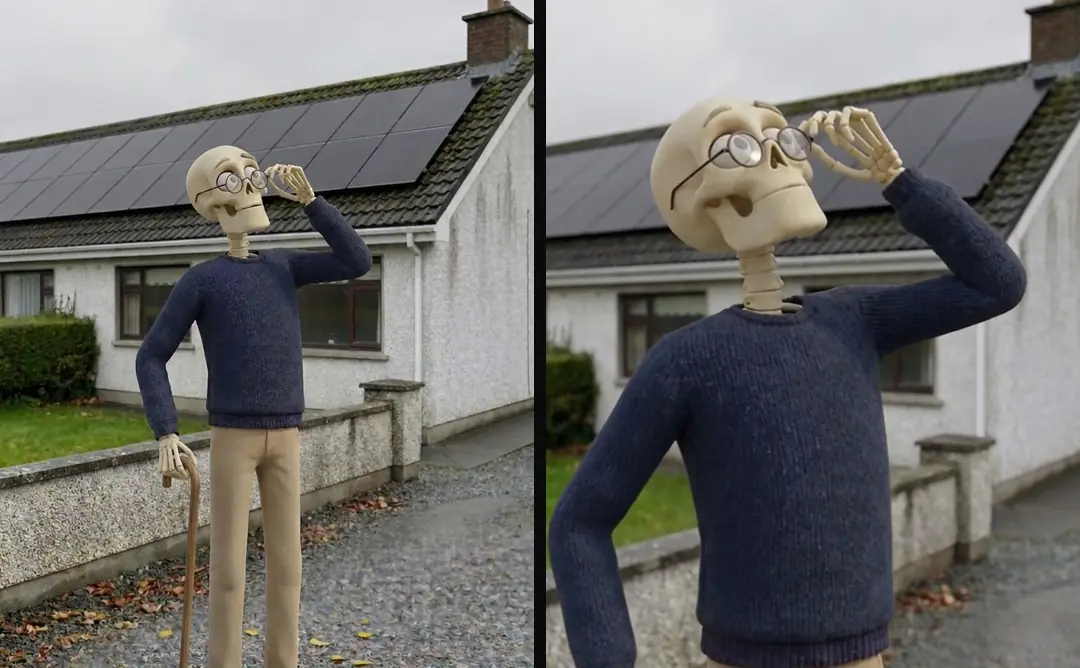
| A person looking up at the sky or the roof | We never write looks up; it was the most common AI tell in our b-roll |
| A showhome background | A lived-in room |
Source: our own production, autumn 2026.
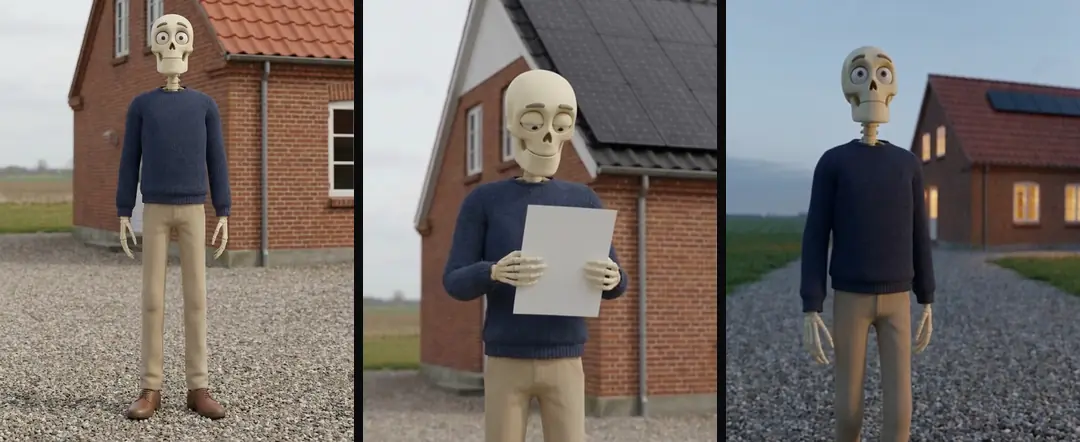
An approved portrait is an identity reference, not a promise that every later shot will match. In our production in October 2026, we compare the person, wardrobe, proportions and setting before paying for motion. The dedicated character consistency guide owns the reference-sheet method and the checks across angles. Keep that review separate from deciding which still is visually appealing. For a speaking character, the talking-head workflow then joins the approved portrait to a voice.
Local, not generic
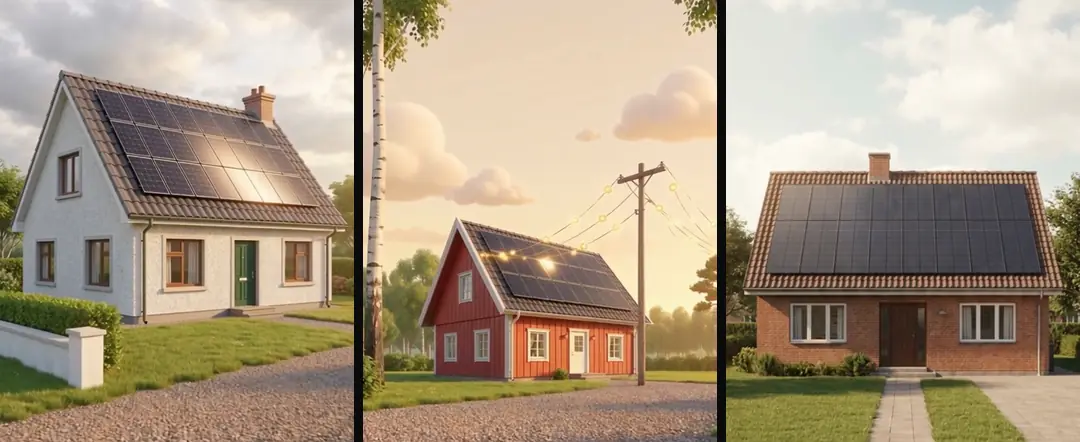
In our tests in autumn 2026, the model fell back to a default place when we didn’t name one: an installer turned up in an Australian suburb, and interiors came out American. Name the country, the local buildings and the materials, and localize the interiors. Check every reused clip for signs in another language and for buildings that clearly belong to another country.
Test a model against your own spec
We ran image models against our exact spec (front-facing, no phone) and kept the one that followed the spec most closely and stayed photoreal. That is a method, not a ranking, so run it again when the models change. We generate batches of about 20 of one gender at a time, show the first 10 for approval before making the rest, and choose from a numbered contact sheet. Files are named by gender, age band and setting.
How to use Claude for ads covers the skills and connectors behind batch work like this. Turntake’s models page lists Nano Banana among the image models in the plan, and Models in Claude Coming is how you would reach it from Claude without an account at each maker.
Who wrote this We made the ads first, for SmartSolar in Denmark, Sweden and Ireland. Then we built Turntake. Where Turntake comes from
FAQ
How do I keep the same person in Nano Banana?
Give the model your original portrait as the reference and describe the person as the same one from the reference image, with identical face, age, hair and clothing. Lock the clothing. Always reference the original portrait, never a regenerated copy. Google’s prompting tips add that you should state the role of each reference image, and they note that consistency across edits can vary.
Can Nano Banana put readable text in an image?
Google says its models can generate legible, stylized text, and its prompting tips say to state exactly what text should appear and how it should look. Google’s own model page also lists accurate spelling among things that can still go wrong. Check every word, and add text that must stay exact afterwards as an overlay.
Why do my AI product photos look fake?
Usually because the prompt reads like an ad. In our tests, images came out too clean and symmetrical, and one looked like a 3D render, until we prompted like a camera: moss on tiles, a crooked downpipe, a bin at the edge, worn grass, a slightly tilted horizon and grain. Choose the simplest version of the object, too.
How many reference images can I use?
It depends on the model. Google’s Gemini API docs describe up to 14 reference images per request, with separate limits for objects and characters that differ between versions (checked October 2026). Read the current table for the model you pick. For a person, our rule is simple: the original portrait is the reference.
Should I generate screens and forms with Nano Banana?
No. Websites, forms, bills and anything whose value is the text or the numbers should be filmed, not generated, because generated text, numbers and interfaces turned into gibberish in our tests. Generate the mood and film the proof.
Sources
- Google: Nano Banana image generation (Gemini API) checked 10 October 2026
- Google DeepMind: Gemini 3 Pro Image (Nano Banana Pro) checked 10 October 2026
- Google: 7 tips to get the most out of Nano Banana Pro checked 10 October 2026
Model facts come from each maker’s own documentation, checked on the date shown. Models change, so read the source again before you plan a batch.