ModelsComparison
Seedance vs Kling vs Veo vs Hailuo: which job each one fits in an ad
Short answer
Pick a video model by the job in the ad, not by a leaderboard: b-roll from a still, a product moment, a shot with sound or a talking head. Read what each maker’s own docs say it takes and returns, then test two candidates against your own spec before you run a batch.
Choosing between Seedance, Kling, Veo and Hailuo gets easier when you ask what job each one does in an ad, not which one wins. This page compares them that way, from our own work with several models. Every model fact comes from the maker’s own documentation. There is no winner here and no prices. In our own ads in autumn 2026, Seedance did the b-roll; that is our history, not a recommendation.
The jobs in a video ad
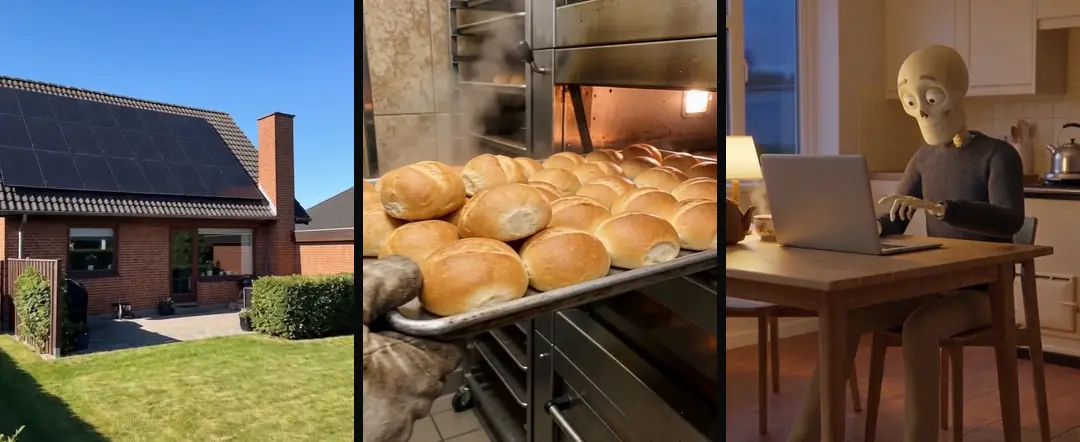
A finished ad asks a model for several different things. “Which model wins?” skips that. “Which model fits this job?” does not. The full lineup sits on the Turntake models page, and the whole chain around it is in how to make AI UGC ads.
| Job | What matters | Where it sits |
|---|---|---|
| B-roll between the words | Motion from an approved still, nothing readable on screen | Under the voice, cut short |
| A product moment | Materials, shape and details staying true to the real object | Mid-ad, where the product is explained |
| Text, numbers and screens | Never generated: filmed, or added afterwards | Offer and call to action |
| A shot with sound | Whether the model makes sound with the picture or you add your own | Rare for us; we add the voice separately |
| A talking head | Identity, and lip-sync to your own voice | The hook and the call to action |
Source: our own production rules, October 2026.
What each maker says
The next table lists only what the makers’ pages state, with one source per row, checked October 2026. It is not ranked.
| Model | Maker | Inputs, per the maker | Length, resolution and sound, per the maker | Source |
|---|---|---|---|---|
| Seedance 2.0 | ByteDance Seed | Text, plus up to 9 images, 3 video clips and 3 audio clips at once | 15-second multi-shot audio-video output, with dual-channel audio | Seed launch post |
| Seedance 2.5 | ByteDance Seed | Up to 30 images, 10 video clips and 10 audio clips as references in one pass | Up to 30 seconds per generation, with multi-round extensions; joint audio-video | Seed 2.5 post |
| Veo 3.1 (preview models) | Text; image-to-video; first and last frame; up to three reference images | 4, 6 or 8 seconds, with 8 required for 1080p, 4k or reference images; 9:16 or 16:9; audio generated natively | Gemini API docs | |
| Kling VIDEO 3.0 | Kling AI | Text, images, element references and start and end frames | 3 to 15 seconds; 1080p or 720p; Native Audio output with dialogue in Chinese, English, Japanese, Korean and Spanish; multi-shot | Kling guide |
| Hailuo 2.3 and MiniMax H3 | MiniMax | Text and images; a first-frame image plus a prompt of up to 2,000 characters for Hailuo image-to-video; the H3 listing includes first and last frame | Hailuo 2.3: 6 or 10 seconds; H3: 4 to 15 seconds; the pages we read don’t mention audio | MiniMax models, image-to-video API |
Source: ByteDance Seed, Google, Kling AI and MiniMax documentation, checked October 2026.
Two cautions. These pages tell you what a model accepts and returns, not how well it follows your prompt. And they move: the Seedance 2.5 post describes a rollout on Jimeng AI, Doubao Pro and other platforms, with API access to follow. MiniMax lists Hailuo 2.3 among its legacy models and H3 as the newer one. Read the linked page again before you plan a batch.
Still or video?
“Seedance vs Nano Banana” is not a contest, because they do different jobs. Google’s documentation describes Nano Banana as image generation and editing through conversation. Seedance moves a picture. We make the still with an image model, approve it, and only then ask a video model to animate it. The still rules are in Nano Banana for ads.
- 01The stillAn image model
- 02You approve itYou
- 03The motionA video model
Talking heads and voice are other jobs
A talking head is a different job from b-roll, and the maker sets a rule for faces: ByteDance Seed’s launch post for Seedance 2.0 says real human portraits used as references need identity verification or prior legal authorization. In our tests in October 2026, through one API provider, Seedance 2.5 refused our photoreal faces, an observation from one provider rather than a verdict on the model. So we give the face to a talking-head model and keep the video model on b-roll. The method is in AI UGC talking heads, and the voice, a job of its own, is in ElevenLabs for ad voiceovers.
How we test a model against our own spec
We don’t run a bake-off once and keep the result forever. We write the spec first and test every candidate against it.
- Write the spec as pass or fail lines: what must be in the frame, and what must not. For a portrait: front-facing, no phone in hand.
- Run each candidate on the same approved still with the same prompt shape.
- Judge on a numbered contact sheet, with frames from across the clip rather than only the first one.
- Keep the model that obeys the spec and stays photoreal. Don’t write up the others as bad. They failed this spec on that day.
- Run the test again when the models change.
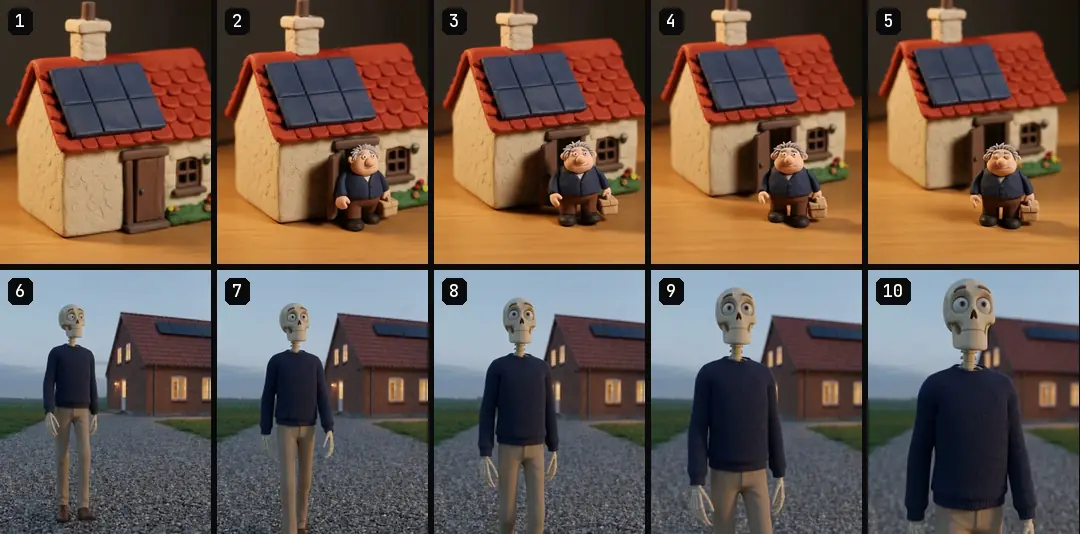
The same habit applied to talking heads. In July and August 2026 we tried several routes and kept the one where lip-sync, identity and reliability held. Routes built on long multi-segment character references let the identity drift between segments, and “continue from the previous clip” mixed up scenes. That is what we tried, not a ranking.
Prompt rules we carry into every test
These come from image-to-video work, mostly on Seedance, since September 2026. We haven’t run every rule on every model, so treat them as a starting spec. Kling’s own image-to-video guide gives related advice: keep the language simple, and know that a description far from the image can cause a camera cut or transition.
- One move, one action. One simple camera move, one subtle action, and a closing line like “keep the scene exactly as in the reference image”. Consistency comes from the locked start frame; if your provider also offers a seed, keep it fixed.
- One place per generation. In our tests, a change of place inside one run changed the figure’s face at the cut. Split the tail into two runs, and start run B on the last frame of run A. Write dialogue as timestamped beats, one line per beat, or the model may treat it as a pile of lines and improvise.
- No generated text. In our tests, generated text turned into gibberish. We state that every sheet of paper is blank, and we burn numbers on afterwards.
More detail on these is in how to use Seedance for ads.
Cost without prices
We don’t list prices. Each maker publishes its own, and they change. What we can share is how we keep a bill predictable.
- Resolution follows purpose: standard for b-roll that sits under captions, higher only for shots with text or numbers. The finished master is 1080×1920.
- Don’t generate sound for b-roll that will be silent anyway.
- Library first. A new ad generates only the beats the library lacks.
- Every job has a hard cap and a cost log, written when the job is sent. Test one clip, get it approved, then run the batch.
Today we run those caps and logs ourselves, as described in how to use Claude for ads. In Turntake, Cost shown before you run Coming is what we’re building so you see the cost in credits before anything runs, and Models in Claude Coming is the plan for reaching these models through one connection. Early access: we set it up with you. Coming: we’re building it.
Which model and voice questions need their own guide?
Use the detailed guide for the task in front of you. Each owns one question, so you can work through a specific production decision and return to this overview for the wider workflow.
- Face-detected refusals
- Consistent characters
- Voice pronunciation
- Music bed planning
- Word-level caption timing
- Kling shot planning
- Veo shots and sound
- Hailuo image-to-video
- Dubbed lip-sync
- Start and end frames
- Legible generated text
- Hand and object details
- Voiceover word budgets
- Voice auditions
- Voiceover pacing
Who wrote this We made the ads first, for SmartSolar in Denmark, Sweden and Ireland. Then we built Turntake. Where Turntake comes from
FAQ
Which AI video model should I use for ads?
Match the model to the job, then test two candidates on your own still. The makers’ docs differ on inputs, clip length, resolution and sound, so start by reading them. We don’t rank the models, because a ranking would hide that b-roll, product shots and talking heads are different jobs. A short test against your own spec settles it.
Kling or Seedance for product videos?
Compare what each maker documents, then test both on your real product still. Seedance lists image, video and audio references; Kling lists text, images and element references, with start and end frames. Neither list tells you which one keeps your product’s materials and shape right. Only a test on your own still does.
Does Veo make sound with the video?
Yes. Google’s Gemini API documentation says Veo 3.1 generates audio natively with the video, always on, and Google DeepMind describes sound effects, ambient noise and dialogue. Check the page before you plan a mix, because versions and options change. If your ad uses a separate voiceover, you may not need generated sound at all.
Can these models make a talking head?
Some list speech, but treat it as a test, not a given. Veo and Kling document generated dialogue, and Seedance 2.0 lists audio references. In our tests in October 2026, Seedance 2.5 refused photoreal faces through one API provider, so we make talking heads with a separate talking-head model and use video models for b-roll.
Do I need one model for every job?
No. An ad has several jobs: the still, the motion, the voice and sometimes a face. We use one model per job and keep every clip in a library, so a new ad can reuse shots instead of starting a new generation. Switching a model later then costs you a test, not a rebuild.
Sources
- ByteDance Seed: Official launch of Seedance 2.0 checked 10 October 2026
- ByteDance Seed: Introducing Seedance 2.5 checked 10 October 2026
- Google AI for Developers: Generate videos with Veo in the Gemini API checked 10 October 2026
- Google DeepMind: Veo checked 10 October 2026
- Kling AI: VIDEO 3.0 Model User Guide checked 10 October 2026
- Kling AI: Image to Video guide checked 10 October 2026
- MiniMax: Models intro checked 10 October 2026
- MiniMax: Image-to-Video API checked 10 October 2026
- Google AI for Developers: Nano Banana image generation checked 10 October 2026
Model facts come from each maker’s own documentation, checked on the date shown. Models change, so read the source again before you plan a batch.