The ad factoryOverview
How to make AI UGC ads: the whole workflow, from research to the final cut
Short answer
An AI UGC ad is a chain, not a prompt: research, a script with the b-roll planned in, a voice, a talking head, b-roll, the edit, QA and a test. Each step has its own way of breaking. In our own production, most of the fixes were written rules, not better prompts.
We make AI UGC ads for SmartSolar in three markets, and Turntake started as the machine behind those ads. This is the workflow we run, step by step: what each step makes, where it usually breaks, and the rule we wrote down so it stops breaking.
The steps are the same whatever the format. Only the world around them changes: an AI creator, a clay character, a skeleton. In our own production in October 2026 that came to 196 video ads in six formats and three languages. The skills behind it run in our own studio today, and we offer them to others as Our skills, run with you Early access. Early access: we set it up with you. Coming: we’re building it. The short version is on the Turntake home page.
The chain at a glance
We write every step down as a brief. That lets a cheaper model do the mechanical steps while the thinking stays with the strongest one.
The chain at a glance
- 01Research
- 02Script
- 03Voice
- 04Face
- 05B-roll
- 06Edit
- 07QA
- 08TestYou
| Step | What it makes | What usually breaks | Our rule |
|---|---|---|---|
| Research | The angle and the words your customers use | Picking a format before understanding the problem | Research first, then the format |
| Script | A spoken script with the b-roll planned in | Lines that read like a translation | Would a native speaker say it unprompted? |
| Voice | A voice track and a time for every word | Numbers, abbreviations and pace | Write a second, spoken version for the voice |
| Face | A talking head from a portrait and the voice | Video models that refuse the face | Make the face and the motion separately |
| B-roll | The shots between the words | Gibberish text, a change of place, long holds | Library first, generate only what is missing |
| Edit | Cuts, captions and zooms | Slow cuts, crowded captions | Hard cuts, short caption groups |
| QA | A checked cut | Problems found after upload | One written list on every cut |
| Test | A paused upload and a written guess | Changing five things at once | One change per test, and you press go |
Source: our own production rules, October 2026.
Research first, then the script
The order matters. We research before we choose a format, write concepts and scripts next, and only then spend money on generation.
The most common AI tell in a script is not a grammar error. It is a line that reads like a translation, an English ad structure rebuilt in another language. We test every line with one question. Would a native speaker say it this way without being asked? The test holds in any language.
Then we write for one person. A neutral narrator sounds like AI, so each script gets one persona with a spoken particle in the first three lines, a concrete scene and an opinion. The persona can describe a typical situation. It never claims a personal result, and numbers appear only when we can document them, rounded and never falsely precise. A real-sounding name under a generated face is a claim as well, so names come from a pool.
Plan the b-roll inside the script, beat by beat, so you never write a line the picture can’t carry. Mine your own ads for opening lines: UGC hook ideas shows how we read the first three seconds of ads that already ran.
The voice: two scripts and one measured take
Every script exists twice. One version is for the eye and the captions, with normal numbers, punctuation and the brand name. The other is for the mouth: numbers spelled out, no abbreviations, no capitals for emphasis, and a web address turned into the brand name. ElevenLabs’ own text-to-speech guidance points the same way: it recommends expanding abbreviations, and it says Eleven v4 and v3 take their pauses from punctuation and text structure, not break tags.
Speech-to-text then becomes the timekeeper. We run the finished voice through it to get a time for every word, and we lay the script’s own words, with our spelling, on those times. Captions follow the sound, not the script document. We pick between two takes the same way, by comparing the speech-to-text result with the script rather than by ear alone.
Length is arithmetic: words divided by speaking rate. We plan Danish at about 3.75 words per second. In our tests in October 2026, Eleven v4 read number-heavy English business copy more slowly than that: about 100 spoken words, call to action included, came out near 40 seconds. So we measure a real take before we lock the cut. For a language you don’t speak, a native speaker should read the script first. More on pace, pauses and pronunciation in ElevenLabs for ad voiceovers.
The face: portrait first, motion separately
A talking head starts from a still. Our portrait recipe is front-facing like a webcam but waist-up, with the face about a third of the frame, a lived-in room, no phone in hand and the mouth slightly open as if mid-sentence. We ask for visible pores and a little grain, because in our stills smooth skin was the biggest AI tell.
The motion is a separate job. ByteDance Seed’s launch post for Seedance 2.0 says real human portraits used as references need identity verification or prior legal authorization, and in our tests in October 2026, through one API provider, Seedance 2.5 refused our photoreal faces. We don’t try to get past that. A talking-head model turns the approved portrait and our voice track into the talking clip, and the video model only makes b-roll without recognizable faces.
The full recipe, with the checks we run on every talking clip, is in AI UGC talking heads. The b-roll side is in how to use Seedance for ads.
B-roll: library first, generate what is missing
In our production in October 2026, the script names the visual beat before a clip is chosen. A clip that demonstrates the right action is useful; a pretty shot that changes the meaning is not. Look in the existing library first, then create only the missing beat. The product b-roll guide explains that decision, and library rotation keeps repeated shots visible.
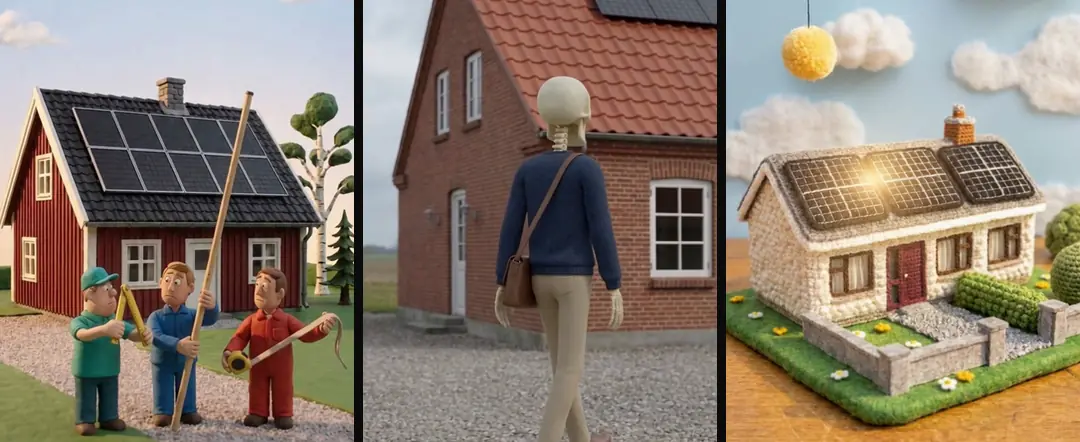
A format is a visual language, rather than a substitute for an explanation. Skeleton ads and claymation ads can express the same mechanism with different materials and actions. Match the style to the idea, then inspect continuity and whether the claim is still honest.
The Claude workflow overview connects these production steps to written instructions and bounded tools.
Edit, captions and notes
We learned the edit by reading twenty finished timelines from our editors, writing down what they did and teaching a renderer to do the same. In all twenty: hard cuts with no transitions, silent b-roll over a continuous voice, about twelve cuts per 35 seconds and the first cutaway within roughly the first four seconds. That is what twenty timelines from our editors did, not a law of editing.
Captions stay short: two or three words per group, one line, at the bottom of the 4:5 zone so they never collide with a cutout or a button. Color is for numbers, power words and negations only, with at most two highlighted groups per sentence.
Notes work the same way. Give them the way you would brief an editor: pinned to a second, a word, a clip or a spot in the frame, and sent as one batch. How to give feedback on a video ad shows what makes a note usable. In Turntake, Send to Claude Early access turns all your notes into one job for the next take.

QA, then you press go
Our house rules are a list a script can check. They are ours, not industry standards:
- A 1080×1920 master.
- Everything that matters inside the 4:5 area, between y 285 and y 1635.
- At most two caption lines.
- Loudness at −14 LUFS.
- No frozen frame over 0.5 s, no stretch over 1.4×, no shot under one second.
Our 1080×1920 master
- 1Everything that matters: the 4:5 area
- 2Captions: one line, two at most
Reels safe zones and our QA before upload explains each rule and how we check it. Then comes a guardrail for the money and the account. Every generation job has a hard dollar cap and a cost log, written the moment a job is sent. Everything goes up paused, the ad account is read-only for our agents, and a person switches the ad on.
Ads that run long enough tire. Plan for it early with creative fatigue on Meta: the cheapest fix is a library you can draw new variety from.
Which part of the production chain needs work?
Use the detailed guide for the task in front of you. Each owns one question, so you can work through a specific production decision and return to this overview for the wider workflow.
- Spoken UGC scripts
- Uncanny visual details
- Market localization
- Caption layout
- Coherent 3D scenes
- Crochet-style worlds
- Drone explainers
- Faceless brand stories
- Static image hierarchy
- Short-ad sound design
- Talking product characters
- Editor handoff folders
- UGC cut grammar
- Purposeful zooms
- Small-team approvals
- FFmpeg render traps
- Actionable creative briefs
- Storyboards before generation
- Visible product demonstrations
- Honest before-and-after edits
- Spoken and written tracks
- SRT vs WebVTT
- Caption drift
- Vertical safe zones
- Finished-mix loudness
- Music under speech
- Consistent color space
- Delivered file settings
- Frozen-frame detection
- Exact clip trimming
- Aspect-ratio versions
Who wrote this We made the ads first, for SmartSolar in Denmark, Sweden and Ireland. Then we built Turntake. Where Turntake comes from
FAQ
Do I need to be a video editor to make AI UGC ads?
No. The chain runs on written rules and checks rather than editing skill. What you need is taste and the habit of looking at frames. We learned the cut by studying twenty timelines from our editors and teaching a renderer to do the same, so the rules exist; your job is to give notes and approve.
How long should an AI UGC ad script be?
Length depends on the voice, not the page, so plan it as words divided by speaking rate and then measure a test take. In our tests in October 2026, about 100 spoken words of number-heavy English business copy, including the call to action, ran close to 40 seconds with Eleven v4. Time your own voice before you commit.
Why won’t my video model accept a face?
Often because the maker restricts real people. ByteDance Seed, for example, says real human portraits used as references need identity verification or prior legal authorization. In our tests in October 2026, through one API provider, Seedance 2.5 refused photoreal faces in every input field we tried. We don’t fight the limit: a talking-head model makes the face, and the video model does b-roll without recognizable faces.
Can I make the whole ad inside Claude?
Not yet. Claude can carry the research, scripts, briefs and notes, and our skills write the method down for it. A single connection that puts video, stills and voice models inside Claude is something we’re building (Coming), and nothing you can try today. For now each model is a separate service.
Should an AI creator say they used the product?
No. A synthetic person can describe a typical situation, but should never claim a personal result or say they used something, because it didn’t happen. Names are claims too, so we draw them from a pool instead of giving a real-sounding name to a generated face. An honest ad is also easier to defend.
Sources
- ElevenLabs: Text to speech best practices checked 10 October 2026
- ByteDance Seed: Official launch of Seedance 2.0 checked 10 October 2026
Model facts come from each maker’s own documentation, checked on the date shown. Models change, so read the source again before you plan a batch.