Testing and scalingGuide
A b-roll library for ads: reuse clips without repeating yourself
Short answer
Build the library before the next ad. Cut every clip at its real boundaries, save it without sound under a name that describes it, and index what it shows and which beats it fits. Then pick the least-used matching clip each time and log it, so your ads don’t lean on the same shots.
In our work, generating fresh b-roll for every ad was slow, and reusing the same few clips made a batch look like one ad. Every new ad we make starts in our clip library, not in a prompt. This guide is how we build that library and keep it from repeating itself.
Why build the library before the next ad?
We build the library first and generate only the beats that are missing. Every new clip is cut at its real boundaries, scaled to 1080×1920 and saved without sound. It gets a market prefix on its name and one new line in the index. The index is append-only, so nothing is rewritten by accident.
- 01Generate only what is missing
- 02Cut at the real change1 s to about 5 s
- 031080×1920, saved silent
- 04Market prefix and one index line
- 05The next ad starts here
Back to 01
A library is not a pile of mood shots. At least half of the beats in a new ad should show the product physically, and a library made only of atmosphere can’t give you that.
Resolution follows purpose. Use the standard resolution for b-roll that sits under captions, and go higher only for shots that carry text or numbers. The finished master is 1080×1920. Don’t generate sound for b-roll that will be silent anyway.
How do you cut a clip so it can be reused?
Cut where the shot really changes, not on a timer. A generation often holds more than one moment, and a clip with two moments has two jobs, so it fits fewer beats. Keep b-roll at 1 s or longer, and at about 5 s at most.
One generation, two moments
- 1Cut here, at the real change
A shot that holds too long is technically fine, but it tires the eye on a contact sheet. In our claymation work, the fix was to generate a second angle of the same scene and split the hold into two shorter shots. We didn’t accept that nothing looked wrong.
What does an index need for rotation?
Rotation needs a few fields to work. The rest of the index is there for people.
| Field | What it holds | What rotation does with it |
|---|---|---|
| Beats it fits | The jobs the clip can do in an ad, such as hook, demo, proof or call to action | Narrows the choice to clips that match the beat |
| Times used | A running count across all ads | Picks the least-used match |
| Last used | The most recent ad the clip ran in | Shows what ran in the last batch |
| Tier | Creator, brand screen or generic | Brand screens may repeat, while creator and generic clips rotate |
Source: our own production rules, October 2026.
Besides those, each clip has an id that matches its file name, a description of what is on screen and how it moves, tags for place, subject and person, a shot size, a hands risk and a duration. Give clips names that describe themselves, in the form <who or scene>_<action>. When a clip is generated, save the real prompt with it. Without it, the descriptions are reconstructions. Naming and fields in more depth are in organizing video footage for ads.
What is the rotation rule?
The rule is short, and it does the work.
- Take the clips that match the beat.
- Pick the least-used one.
- Break ties at random.
- Respect a reuse cap.
- Write the use to one shared log that survives until the next script.
Brand screens are made to repeat, because they show the same funnel. Creator clips and generic clips rotate.
The reason is fatigue. In our own work, an account’s winners were often all one concept, and that sameness is the fatigue problem. Rotation with a cap and a shared log keeps any one clip from carrying every ad. The wider picture is in creative fatigue on Meta.
In our own studio, the cap and the log live in our scripts today. Reuse limit and clip log Coming would give you both without scripts. Early access: we set it up with you. Coming: we’re building it.
Should you give editors the whole library?
Yes. We studied twenty timelines from our editors, and none of the clips they added on their own came from outside our library. They browse the whole library, not a hand-picked subset. They also preferred creator clips and brand clips to generic ones.
So the gap we saw was curation, not content. We now give editors everything, as one shared pool of alternatives, instead of a selection for each ad package. If you hand a library to an editor, hand over all of it.
How do you keep one place and a rotated call to action?
Two habits keep a batch from feeling stitched together. The first is one place per ad: we store generated places as scene packs, one place from several clearly different angles, and give each ad one pack, so an ad doesn’t turn into a tour of ten different houses. How we prompt those packs is covered in AI b-roll for product ads.
The second habit is a rotated call-to-action shot. It shows the real form or the real screen, and it rotates across a batch like any other clip, so two ads in the same batch don’t land on the same one.
What does our own library look like?
Our own library holds 1,116 clips, sorted by market, product and the job each clip does in an ad. That is the count in our own production in October 2026, and we give it as a reference point, not as a target. The library section on the product page shows how a clip is tagged by role, market, product and where it has been used.
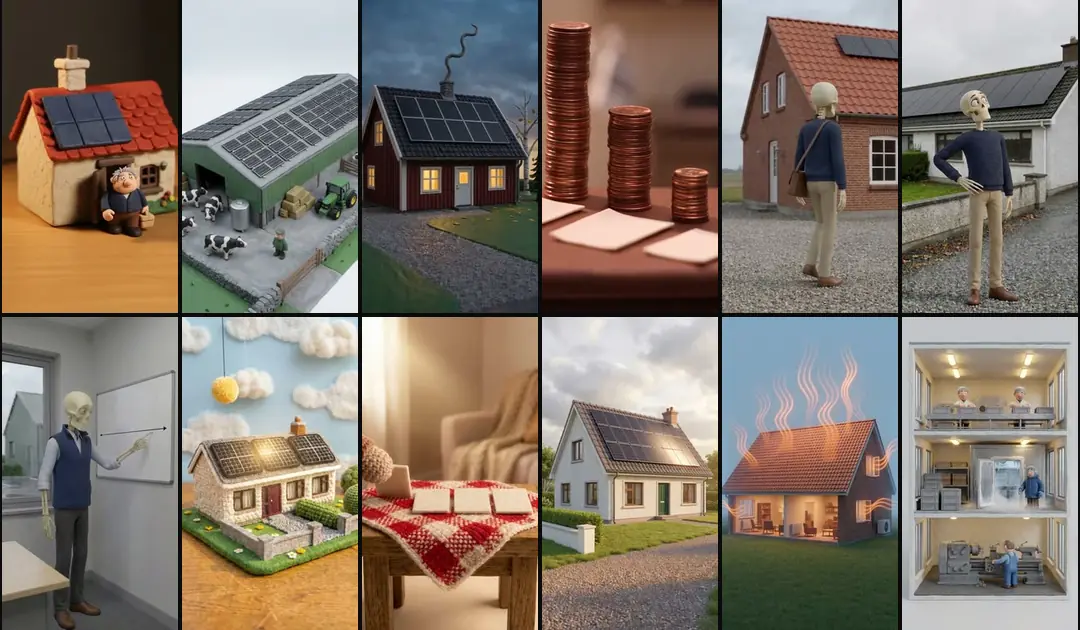
The formats reuse clips ad after ad. Six Swedish claymation ads were built entirely from the Danish library, without generating a single new clip. The claymation format and its clip library are described in AI claymation ads.
What about the gaps?
When the index shows a beat with no good clip, you have found a gap, and that is useful. Fill it in this order: your own footage first, a short shoot second, and AI last, where that is honest. AI b-roll for product ads draws that line shot by shot. Make what’s missing Early access covers new concepts, scripts and clips, library first.
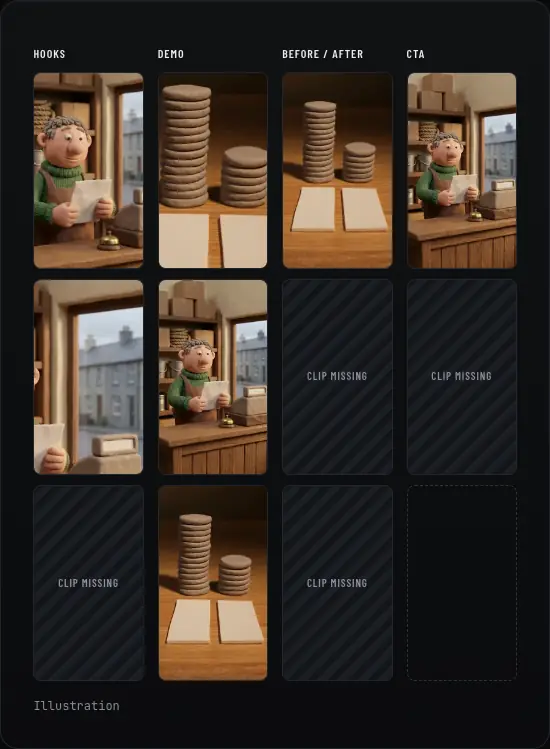
If the same shots keep coming back, treat that as a warning. A shared log makes the repetition visible, and the fix is more variety, not another ad cut from the same few clips.
Who wrote this We made the ads first, for SmartSolar in Denmark, Sweden and Ireland. Then we built Turntake. Where Turntake comes from
FAQ
What is a b-roll library?
A b-roll library is a set of reusable clips, each saved on its own with a clear name, a description and the beats it fits. Instead of searching folders, you pick from an index. Ours holds clips cut at real boundaries and saved without sound, so any clip can drop under a voiceover without a surprise.
How do I stop using the same clips in every ad?
Pick the least-used matching clip each time, break ties at random, set a reuse cap and keep one shared log of every use. Brand screens may repeat, because they show the same funnel, but creator and generic clips should rotate. Rotate your call-to-action clip across a batch too, so two ads don’t end on the same shot.
Should b-roll be saved with sound?
No, save it without sound. B-roll sits under a voiceover, so any audio in the clip is either unused or in the way. In the twenty editor timelines we studied, b-roll was always silent, with the voice running unbroken underneath. We also don’t generate sound for b-roll that will be silent anyway.
How big does a b-roll library need to be?
There is no number we can stand behind. Measure a library by what it covers and not by how many clips it holds: which beats have a good clip, how varied the clips are and how many unique hooks you have. A pile of clips with few hooks still gives you few ads. Our own library is a reference point, not a target.
Can AI fill the gaps in my library?
Sometimes, and only where that is honest: b-roll without the product, text cards built from your own files, and a slow camera move on a real packshot. Anything with a talking person, a hand demonstrating the product or a product promise should be filmed. Check your own footage first, then film, then generate.