The ad factoryGuide
FFmpeg for ad pipelines: traps from our renders
Short answer
A Claude FFmpeg skill should record the installed build, use explicit media inputs and validate the actual output after every stage. Common production risks include color metadata differences, incorrect filter argument handling, missing overlay duration and assumptions about the shortest input. Keep version-sensitive commands in one maintained reference and inspect rendered frames as well as logs.
Start with the installed FFmpeg build
A command copied from an older note may no longer match the installed binary. Record the executable path, version and required filters before using a recipe in a batch. That gives a failure an identifiable context and separates command changes from source-media problems and errors in the rendered output.
The official FFmpeg command documentation describes input and output option behavior; the filter reference describes individual filters. Our examples below are production checks, not universal command replacements. ai ugc ads workflow gives the overall workflow. A skill should point to the current command reference and the project’s tested script instead of maintaining several diverging copies of a complex invocation.
Suppose a hypothetical demonstration render shows its first instruction graphic but omits a later one. Preserve that candidate and inspect the input’s duration and overlay timing before changing unrelated encoding settings. A short render of the affected interval can separate the missing layer from a general playback problem. Accept the repair only after viewing the later graphic in the new output, with the command and installed build recorded beside it.
A filter graph, a filename and a shell argument each have their own parsing rules. A path containing spaces can be correctly quoted for the shell while still being wrong inside a filter expression. Treat the command as code and keep data values separate where the interface permits it.
In our production in October 2026, FFmpeg version changes affected how complex filter instructions were supplied. Check the installed version’s documented argument-file support instead of assuming that an old flag remains valid. Use a small copied input to verify the intended graph before committing a large render. Log the selected build and non-secret inputs, not sensitive configuration values.
| Check | Suggested action |
|---|---|
| Build | Record version and required filters |
| Inputs | Inspect segment properties |
| Layers | Declare timing and ordering |
| Output | Probe, decode and visually review |
Source: Turntake editorial checklist (proposed), October 2026.
Normalize media properties before joining segments
Inspect codec, dimensions, frame-rate behavior, pixel format and color metadata for each segment. Files sharing an extension can still differ in properties that matter to concatenation. Stream copying preserves encoded packets; it does not reconcile every difference between independently produced sources.
In our production in October 2026, mismatched color tagging during concatenation caused overlay problems. The practical lesson is to normalize the intended segment properties or re-encode through a consistent route, then inspect the result. Do not present that observation as proof that every color mismatch produces the same failure. Write a video ad brief an editor can act on covers writing the input specification that the pipeline should satisfy before it starts.
- 01Record executableCheck version and filters
- 02Normalize segment propertiesKeep intended color and timing
- 03Render explicit stagesRequire overlay durations
- 04Probe and view outputCompare with delivery contract
Declare overlay timing explicitly
A still graphic needs a defined start, duration and layer order. A file existing on disk does not establish how long it remains available to a filter. Keep those values in the recipe rather than scattering them across several command fragments.
Our October 2026 pipeline observations included overlays disappearing despite a command completing. Check the first and last intended frames of each required layer. If a label is essential to a claim, its disappearance is a content defect as well as a technical defect. Storyboard an AI video ad before generating shots covers mapping visible layers to storyboard beats. A renderer should fail clearly when a declared layer cannot be reproduced, rather than returning an incomplete ad for approval.
Set and verify the output duration
Specify the intended final duration and inspect the result. Looped graphics, silent video segments and audio tracks can have different lengths. Depending on the selected options, the output may end at a boundary the author did not intend.
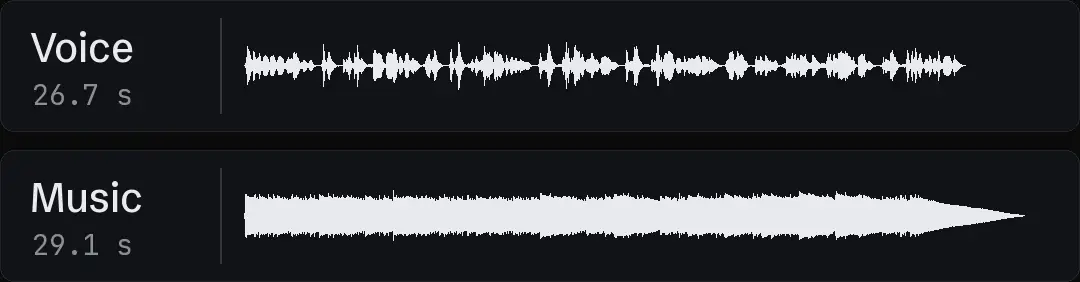
In our production in October 2026, heavy jobs are split into stages with checks on the resulting duration. That makes a failed stage easier to locate and resume. The next stage should receive a validated intermediate, not simply the newest file in a directory. Write a product demo ad around a visible action covers the product demonstration script, which gives the timing a purpose: a complete mechanism line should not be cut short by an accidental media boundary.
- Command completionExit statusOutput validationExpected streams present
- Command completionFilter acceptedOutput validationRequired layer remains visible
- Command completionFile writtenOutput validationCorrect duration and properties
- Command completionNo logged errorOutput validationIntended visual explanation
Probe the file and inspect the frames
ffprobe reports stream and container properties. Use those reports to confirm that the expected video and audio streams exist and that media properties match the delivery contract. Then decode or play the file to find problems a property report cannot establish.
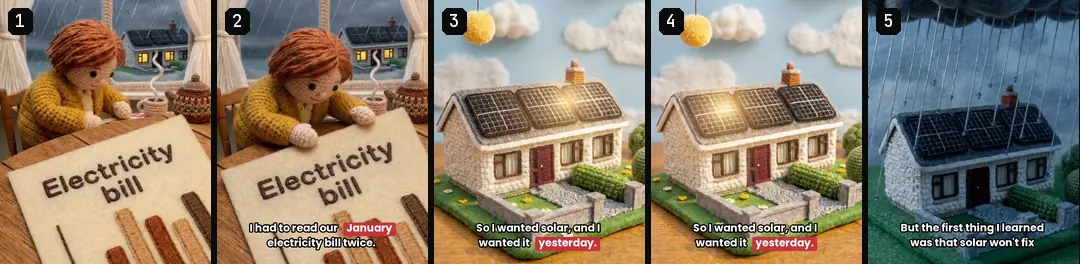
Our October 2026 production method retains visual checks after mechanical fixes. Inspect cuts, overlay boundaries and caption changes. A clean exit code is evidence that the command completed under its own conditions; it does not prove that the correct product label stayed visible or that the shot communicates the intended mechanism. Keep those review responsibilities separate in the report.
Maintain one versioned pipeline reference
The skill should identify the canonical script, expected input contract, output checks and known version-sensitive points. Keep a small acceptance fixture with representative graphics, captions and sound. When the binary or script changes, compare that fixture before reusing the route across a batch.
Turntake’s production approach describes Turntake’s production approach. This is a studio maintenance method. It does not imply that an assistant can repair any broken media file automatically.
For a suggested failure report, include the stage, selected executable version, non-secret input IDs, expected property, observed property and the smallest relevant log excerpt. Avoid dumping the entire command environment. The operator can then distinguish a missing filter, invalid source interval or mismatched intermediate without rebuilding the whole ad. Preserve the failed intermediate until the diagnosis is recorded, and keep the approved source assets unchanged.
Isolate a failed stage
For a hypothetical missing-label defect, inspect the overlay source, the intermediate before compositing and the intermediate after compositing. This narrows the question to source availability, graph behavior or a later assembly step. Keep the same inputs while diagnosing the stage. Changing several unrelated settings can produce a usable output without showing which property mattered. Once the defect is understood, add the smallest meaningful acceptance check to the maintained pipeline reference.
Who wrote this We made the ads first, for SmartSolar in Denmark, Sweden and Ireland. Then we built Turntake. Where Turntake comes from
FAQ
What should a Claude FFmpeg skill cover?
A Claude FFmpeg skill should record the installed build, use explicit media inputs and validate the actual output after every stage. Common production risks include color metadata differences, incorrect filter argument handling, missing overlay duration and assumptions about the shortest input. Keep version-sensitive commands in one maintained reference and inspect rendered frames as well as logs.
How do I keep filter syntax separate from shell syntax?
A filter graph, a filename and a shell argument each have their own parsing rules. A path containing spaces can be correctly quoted for the shell while still being wrong inside a filter expression. Treat the command as code and keep data values separate where the interface permits it.
How do I normalize media properties before joining segments?
Inspect codec, dimensions, frame-rate behavior, pixel format and color metadata for each segment. Files sharing an extension can still differ in properties that matter to concatenation. Stream copying preserves encoded packets; it does not reconcile every difference between independently produced sources.
How do I declare overlay timing explicitly?
A still graphic needs a defined start, duration and layer order. A file existing on disk does not establish how long it remains available to a filter. Keep those values in the recipe rather than scattering them across several command fragments.
Sources
- FFmpeg: Command documentation checked 11 October 2026
- FFmpeg: Filter documentation checked 11 October 2026
- FFmpeg: ffprobe documentation checked 11 October 2026
Facts from the sources below were checked on the date shown. Pages change, so read the source again before you rely on it.