The ad factoryGuide
AI skeleton ads: how we make a story told in steps work as an ad
Short answer
A skeleton ad follows one skeleton character through a story told in steps, narrated by one voice. What holds it together as an ad, in our production, is everything around the character: a locked look, one place per shot, one continuous voiceover, no numbers drawn in the frame and clips you reuse.
A skeleton ad is easy to copy and harder to keep honest, because a story told in steps invites steps nobody can show. Skeleton ads are one of our six formats, but the format itself isn’t ours. What follows is what we changed to make it fit our rules, and this guide covers nothing else. For the whole chain around any format, see the full AI UGC workflow.
When does the format fit an ad?
A skeleton ad is one character living through a story told in steps, with one voice over it. That shape suits an offer when the story really is a change over time that you can show step by step. It does not suit an offer where you would have to invent the steps. If you are stretching to fill a timeline, pick another format.
Write the steps before the shots
Write each step as one line: what changes, what the voice says and what the frame shows. If a step has no change you can show, cut the step. Plan the b-roll into the script from the start, so the shots are decided when the story is written and not patched in afterwards. Write the narration the way a person in that market would say it, because a translated voiceover is the most noticeable giveaway in any format.
One line per step
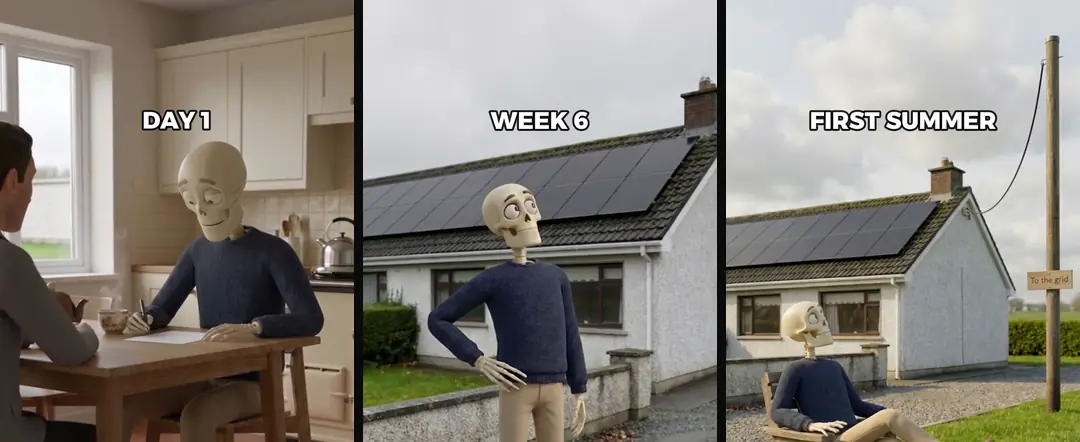
- 01Day 1The voice saysHe says yes to the first quoteThe frame showsA kitchen table, blank paper, a handshake
- 02Week 6The voice saysThe panels go upThe frame showsThe same bungalow, panels on the roof
- 03First summerThe voice saysThe house is empty at middayThe frame showsA garden chair in front of the same house
Lock the character
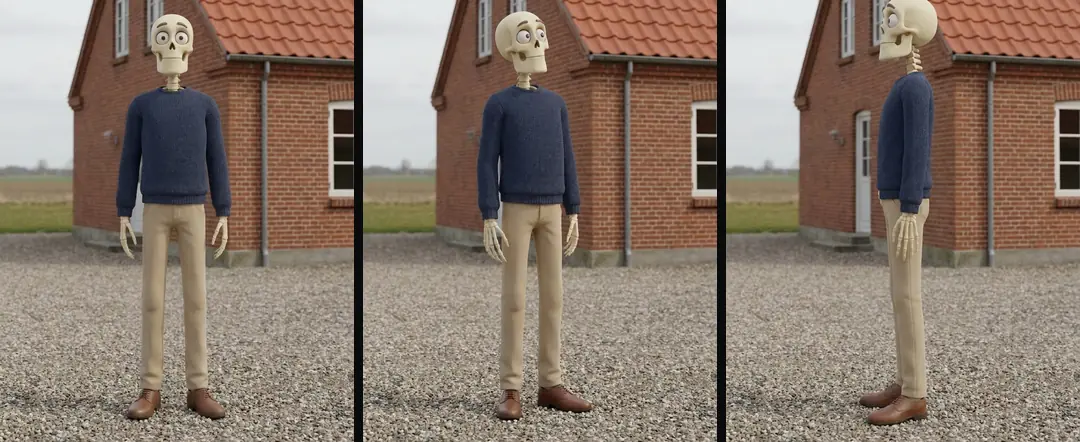
The skeleton is the one thing the viewer must recognize in every shot, so we write it down once and never improvise it. Two blocks go into every prompt.
| Block | What it holds | Rule |
|---|---|---|
| Character block | Who the character is: build, one distinctive feature, what it wears | Copied word for word into every prompt |
| Style block | The material, the light, the camera behavior and the tone | Never changed between ads |
Source: our own production rules, October 2026.
Add an approved reference image of the character as the start frame. The maker’s Seedance 2.0 page lists images among the model’s inputs, which is what makes a start frame possible. Keep one canonical copy of both blocks. If you fix a detail, fix it in that copy, not only in the prompt in front of you. Our claymation guide tells the story of a color that drifted between two files. Consistency comes from the locked start frame; if your provider also offers a seed, keep it fixed. And name no studio or film in the prompt: describe the look in plain words.
One place per shot
In our 3D tests a character changed face when a generation switched location partway through. We now apply one rule to every format: one place per generation. To change place, start the next run from the last frame of the previous one, so both runs share a frame.
The maker describes Seedance 2.5 as keeping the main subject stable across multiple cuts, in clips of up to 30 seconds per generation (maker’s post, 31 July 2026, checked October 2026). We still plan one place per generation. That is our rule from earlier tests, not a finding about that model, and it is cheap to re-test when the models change.
Give each shot one camera move and one action. The prompt rules we use are in How to use Seedance for ads. The house rules for the world stay the same as in our other formats: a calm, grounded tone, no villain, and eyes that never look into the camera.
Shots that hold up
Some shots break more often than others. This is what we saw in our own tests, and what we do about it.
| Shot | What we saw | What we do |
|---|---|---|
| Fine hand actions in close-up | Fingers morphed | Keep hand action to one safe beat, or cut away when it turns odd |
| Wide shots of buildings with camera motion | The geometry twisted | Keep the camera almost static and say the structure stays rigid |
| One long static hold | Technically fine, tiring on the contact sheet | Generate a second angle and split the hold into two shorter shots |
Source: our own tests, autumn 2026.
Text and numbers stay out of the frame
In our tests, text generated inside a shot came out as gibberish. So every sheet, screen and sign in a shot is blank by prompt, and anything written is added in the edit. That includes step labels such as Week 6. Write them as overlays, timed to the voice, inside the 4:5 safe zone.
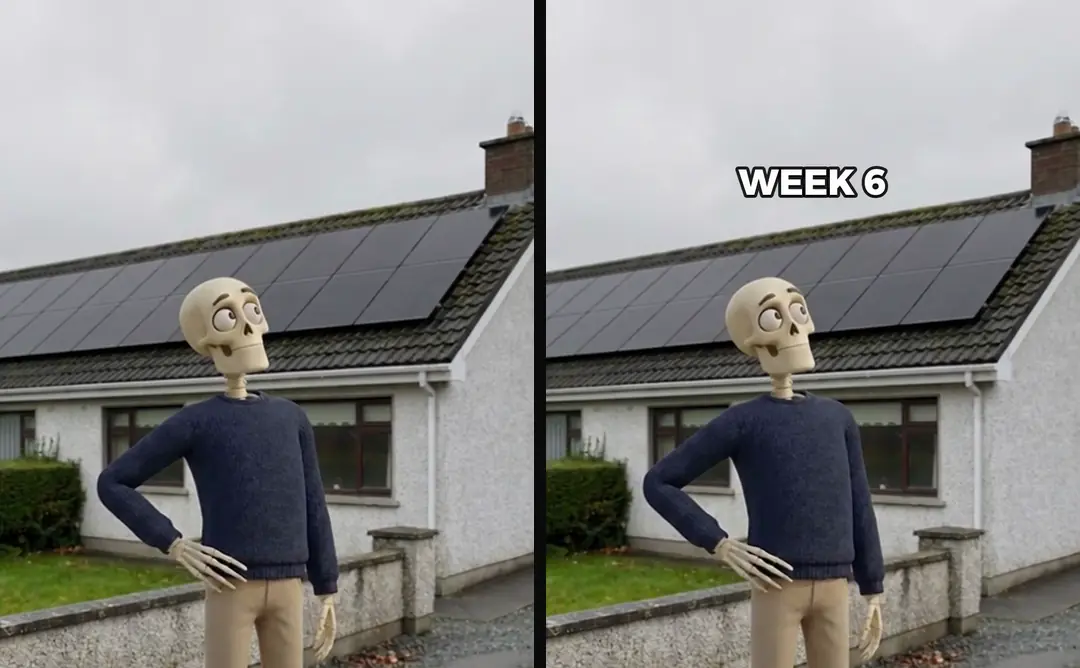
Numbers need one more rule: use only numbers you can document. And no figure claims a personal result. A skeleton can live the story, but it may not report an outcome as if it happened to it.
One voice, recorded once
Record the voiceover as one continuous take and cut it into beats afterwards, never clip by clip. Recording beat by beat lets pace and pronunciation drift from one beat to the next. We pick the take, tighten the pauses and normalize loudness to our house level of −14 LUFS last. A blunt silence filter clipped soft consonants and left seams, so we trim pauses in the middle, keep the room tone and shorten long gaps to about a third of a second. Voice basics are in ElevenLabs for ad voiceovers.
A library you reuse
Every generation run is cut at its real scene changes, scaled to 1080×1920, saved without sound and added to the library with one index line. The next skeleton ad starts from that library, and only the missing beats are generated. The same method holds our claymation worlds together.
Today these steps run in our own studio. The offer to run them with you is called Our skills, run with you Early access. Early access: we set it up with you. Coming: we’re building it. The idea behind Brand world bible Coming is the same as the two blocks above: one character and one style, locked and reused for your brand.
Test it cheaply first
Treat the format as a test, not a given. Build one skeleton ad as a small experiment before you build more, change one thing at a time, and write down what you expect before the ad is made. Creative testing on Meta: one change per test covers how we run that. Nothing here says every audience responds to the format. We have no result to hand you, and we publish only what we can back up.
Who wrote this We made the ads first, for SmartSolar in Denmark, Sweden and Ireland. Then we built Turntake. Where Turntake comes from
FAQ
How do you make an AI skeleton video?
Write the story as steps first, then lock one character block and one style block, generate each shot from an approved start frame, and lay a single voiceover over the cuts. Add labels and numbers in the edit, not in the model. We build one as a small test before making more.
How do I keep the skeleton the same in every shot?
Copy the same character block and style block word for word into every prompt, use an approved reference image as the start frame, and keep one canonical copy of both blocks. Consistency comes from the locked start frame; if your provider also offers a seed, keep it fixed. If you fix a detail, fix it in the canonical copy.
Does the skeleton talk?
In our worlds the figures stay silent and one narrator speaks over the shots. That also travels well across languages, because there is no mouth to match. We write the voiceover as one continuous take and cut it into beats afterwards, so pace and pronunciation stay even.
Do skeleton ads work for every audience?
We treat the format as something to test, not a given, and we have no result we can publish. Build one skeleton ad as a small experiment, change one thing at a time, write down what you expect before the ad is made, and let your own delivery decide whether to make more.
Can I show numbers in a skeleton ad?
Yes, but burn them in during the edit instead of asking the video model to draw them, because generated text comes out as gibberish. Use only numbers you can document, and never let the skeleton report a personal result as if it happened to it.
Sources
- ByteDance Seed: Introducing Seedance 2.5 checked 10 October 2026
- ByteDance Seed: Seedance 2.0 checked 10 October 2026
Model facts come from each maker’s own documentation, checked on the date shown. Models change, so read the source again before you plan a batch.