The ad factoryGuide
Reels safe zones and the QA we run on every video ad before upload
Short answer
Keep everything that matters inside the middle 4:5 area of a 9:16 frame, so captions, faces and buttons stay clear of the app’s own overlays. Then check loudness, caption lines, frozen frames and shot length before upload. We run the same list on every cut we make.
Turntake started as the machine behind our own video ads for SmartSolar in Denmark, Sweden and Ireland. Every cut goes through the same list before anyone sees it, and the house rules on our About page name the heart of it: loudness, safe zones, caption lines and no frozen frames. This guide opens that list. The platform numbers come from Meta, with a link. The rest is our own rules, labeled as ours.
The safe zone: Meta’s numbers, and our rule
A Reels ad is a 9:16 video, and the app draws its own interface on top of it: the profile picture, the call-to-action button and more. Anything important under those overlays is lost. Meta gives a margin for it, and we keep a simpler rule of our own. Here they are side by side, for a 1080×1920 frame:
| Meta, Reels ads guide | Our house rule | |
|---|---|---|
| Top | Leave at least 14% clear of text, logos and other important elements: about 269 px | Nothing important above y 285 |
| Bottom | At least 35% clear: about 672 px, so important elements end around y 1248 | Nothing important below y 1635 |
| Sides | At least 6% each: about 65 px | No separate side margin |
| Why | Keeps key parts from being cropped, covered by the profile picture or the call to action, or placed too close to the edges of screens taller than 9:16 | One fixed area we can check on every cut: the middle 4:5 of the frame, the tallest feed shape Meta lists |
Source: Meta ads guide for Reels video and Meta’s Stories design requirements (feed shapes from 1.91:1 to 4:5), checked October 2026 (the pixel values are our arithmetic on Meta’s percentages), and Turntake house rules, October 2026.
The two don’t line up at the bottom. Meta asks for a much bigger bottom margin than our 4:5 area leaves, so a caption set low in our area still falls inside the margin Meta asks you to keep clear. Treat our rule as the floor for every placement. If you run Reels, follow Meta’s numbers or check the placement preview before you upload.
Meta’s margins and our 4:5 area
- 1Meta: keep clear at the top, about 269 px
- 2Meta: keep clear at the bottom, about 672 px
- 3Our rule: the middle 4:5, y 285–1635
- 4Meta: about 65 px on each side
Our house rules as a checklist
These are the rules we check on every cut. They are ours, not industry standards.
| Rule | Value | What it protects against | How we check |
|---|---|---|---|
| Frame | 1080×1920 | A master that doesn’t fit the format | Read from the file |
| Safe area | Everything important inside the middle 4:5 (y 285–1635) | Captions and faces under the overlays | Frame check on a contact sheet |
| Caption lines | At most 2 | Text walls on a small screen | Frame check, speech-to-text on the rendered audio |
| Loudness | −14 LUFS, −1 dBTP ceiling | One ad louder than the next | Measured on the finished mix |
| Frozen frames | None over 0.5 s | A clip that seems to stop | Script |
| Stretch | At most 1.4× | Motion that looks slowed down | Script |
| Shot length | None under 1 s | A flash of the wrong thing between two clips | Script |
Source: Turntake house rules, October 2026.
On the frame: Meta’s Stories help page recommends 1,080 × 1,920, while the Reels video spec lists 1440 × 2560. Our masters are 1080×1920.

On loudness: −14 LUFS is our own choice. LUFS is the loudness unit used in EBU R 128, the European broadcast recommendation, which sets an average programme loudness of −23 LUFS. Meta’s Reels spec lists the audio format but no loudness target. We bring the voice to −14 LUFS as the last step, after any trim or voice change, as ElevenLabs for ad voiceovers describes.
Keep captions short and inspect them on the finished mix, with both readability and timing checked. Our autumn 2026 house rule shows a group about 100 milliseconds early; it is a starting point to verify by listening, not a universal speech-to-text correction. Word-level caption timing explains the full check. Caption sync report Coming is the report we are building. Early access: we set it up with you. Coming: we’re building it.
When the caption appears
- 50 to 150 ms late
Vertical video safe zones separates readable text placement from synchronization; passing one check does not establish the other.
Look at the frames, not the file name
Render, then look. Our first fix for a flash of the face between two b-roll clips was wrong, and we only saw it by looking at frames. We check frames at every feedback point, around the start of every zoom and across the hook. A clip named for a thumb pressing a phone turned out to show a house with a blue panel and took two rounds to catch, so we check a clip on several frames and never on its name.
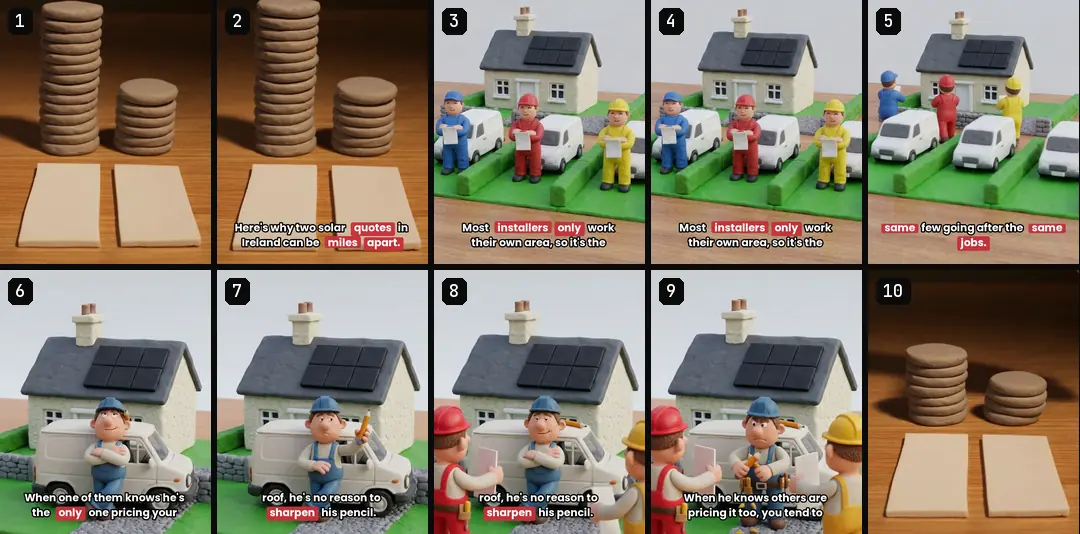
Contact sheets make this fast. A numbered sheet lets you choose and review without guessing from screenshots. When an AI reviews a cut, it sees contact sheets and not the video, so we ask it outright whether anything looks AI-strange.
Sound off, claims and time
Watch the ad with the sound off. The picture and the on-screen text alone should say what it is about and what to do next. Meta’s Reels spec calls sound optional but strongly recommended and captions optional but recommended, so plan for both kinds of viewer.
Captions never add a number or a promise that isn’t in the approved voice. And disclaimers and the call to action need time: we aim for a disclaimer on screen for at least 2.5 seconds, and build the final part from the tail of the voice plus about 1.5 seconds of silence. AI UGC talking heads covers the extra checks a talking head needs.
File checks: render, verify, then copy
Never write a long render straight into a shared or synced folder. Render to a local temporary folder, check the duration and that the file opens cleanly, then copy it. We use ffprobe for the duration and a decode pass with ffmpeg, which catches broken files that a quick look would miss. A call killed by a timeout once left us a corrupt file, so give long renders an explicit long timeout.
Video ad export settings defines the delivery properties, while AI video ad output validation combines file checks with the content contract. Keep both results with the review copy.
Let a script do the boring part
Before hand-off, a checker enforces the rules against the plan: a cut in the first four seconds, cut density, the real form or screen on the call-to-action shot, clips trimmed to length and reuse limits. Every final video gets a recipe a machine can read, and the check has to be green before a round counts as done. We’re building Pre-flight check Coming: loudness, safe zone, caption lines, frozen frames and short shots, checked on your own video.
Everything we upload goes up paused, and a person switches it on. Creative testing on Meta covers what comes after upload, and how to give feedback on a video ad covers the notes you write when this list finds something. For the whole chain, see the AI UGC ads workflow.
Who wrote this We made the ads first, for SmartSolar in Denmark, Sweden and Ireland. Then we built Turntake. Where Turntake comes from
FAQ
What is the safe zone for Reels ads?
Meta’s Reels ads guide, checked October 2026, recommends leaving at least the top 14 percent, the bottom 35 percent and 6 percent on each side of a 9:16 asset clear of text, logos and other important elements. On 1080×1920 that is about 269 pixels at the top, 672 at the bottom and 65 at each side. Our own floor is the middle 4:5 area, y 285–1635.
How loud should a video ad be?
There is no single answer. Our house rule is −14 LUFS for the finished mix, with a −1 dBTP ceiling, and it is our choice, not a Meta requirement: Meta’s Reels spec lists the audio format but no loudness target. LUFS is the loudness unit used in EBU R 128, which recommends an average of −23 LUFS for broadcast programmes. Pick one level and use it on every cut.
How many caption lines should an ad have?
Our house rule is at most two lines, and our caption groups are usually one line of two or three words, placed inside the safe area and shown just before the word is spoken. Highlight color goes only on numbers, strong words and negations, with at most two highlighted groups per sentence.
How do I check captions are in sync?
Run speech-to-text on the finished, mixed audio and compare its word times with your captions. In our checks the median lead is 60 to 140 milliseconds, with no negative leads and no drift, meaning each third of the ad stays within 20 milliseconds. Captions that appear exactly on the sound feel late, so we show each group about 100 milliseconds early.
Should I watch my ad with the sound off?
Yes. With the sound off, the picture and the on-screen text alone should say what the ad is about and what to do next. Meta’s Reels spec calls sound optional but strongly recommended, and captions optional but recommended, so plan for both a muted and an unmuted viewer.
Sources
- Meta: Instagram Reels video ads, ads guide checked 10 October 2026
- Meta: Design requirements for Instagram Stories ads checked 10 October 2026
- EBU: R 128 loudness recommendation checked 10 October 2026
Facts from the sources below were checked on the date shown. Pages change, so read the source again before you rely on it.