ModelsGuide
Keep the same person across AI ad shots
Short answer
Keep the original approved portrait as the identity anchor for every new scene. Write down hair, age, wardrobe, body proportions, and camera coverage, then compare each still against that reference before animation. A matching face is only part of continuity: hands, sleeves, height, and the surrounding scene must also agree.
The face stays similar, but the jacket, proportions, and camera relationship change between shots. That is enough to weaken character continuity. Establish a reference and inspect a planned set of stills before commissioning motion, then carry the accepted identity details into each shot and the editor’s handoff record. Use the model selection guide for the wider production route; keep identity review tied to the actual selected shots.
Choose one identity anchor
Google’s Google: Gemini image generation documents image input and image editing within the Gemini image-generation workflow. That supports using a reference in a request; it does not promise that every detail will survive every edit. Treat each returned image as a candidate to inspect.
In our production in October 2026, the reference for a new scene is always the original approved portrait, rather than the previous recreation. A chain of recreations can make each small departure the next request’s starting point. Keep the anchor file unchanged and give it a stable identifier in the reference sheet.
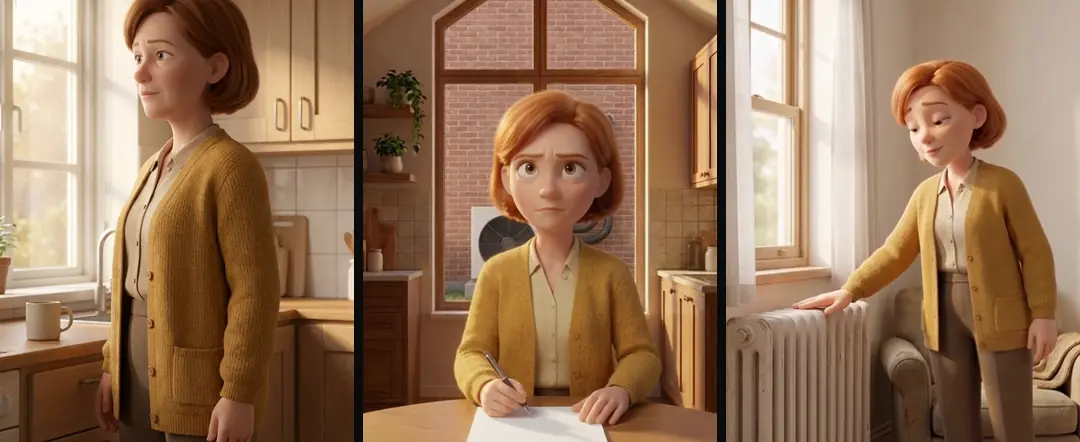
Write the features you will actually inspect
Describe visible identity in ordinary language: hair parting, approximate age, face shape, glasses, clothing color, and distinguishing wardrobe details. Avoid a long biography that cannot be seen in the frame. The sheet should support a practical comparison, not compete with the image.
Include the body. A medium shot establishes shoulder width, sleeve length, posture, and the relation between head and torso. If later shots show hands, establish their style and scale as well. For animation, a clay character with photoreal fingers is a continuity failure even when its face remains recognizable.
| Anchor field | Inspection question |
|---|---|
| Face and hair | Does this look like the original person? |
| Wardrobe | Are color, seams, and accessories consistent? |
| Body proportions | Does the head-to-body relationship still match? |
| Hands | Do material, size, and interaction fit the character? |
Source: suggested production checklist, October 2026.
Plan camera coverage as a set
List the views the edit needs before requesting variations. A front medium shot, a side view at a table, and an over-shoulder view serve different purposes. Three nearly identical front views may offer little editing flexibility, even if all three are consistent.
In our production in October 2026, scene packs provide distinct angles of the same place from a common anchor. Apply that idea to the person’s position too. Mark where the person faces, where the product sits, and which hand performs an action. A reverse angle should reverse the camera relationship, not casually change the room or the character’s clothing.
A hypothetical gardener brief uses clothing, proportions, and the nearby planter as inspection anchors rather than relying on the face alone. Review the wide and close stills as a set before requesting motion. A different boot or changed body shape can make the cut feel like a different person, even when each image works independently. Keep the accepted references with the edit so later shots can be compared against the same decisions.
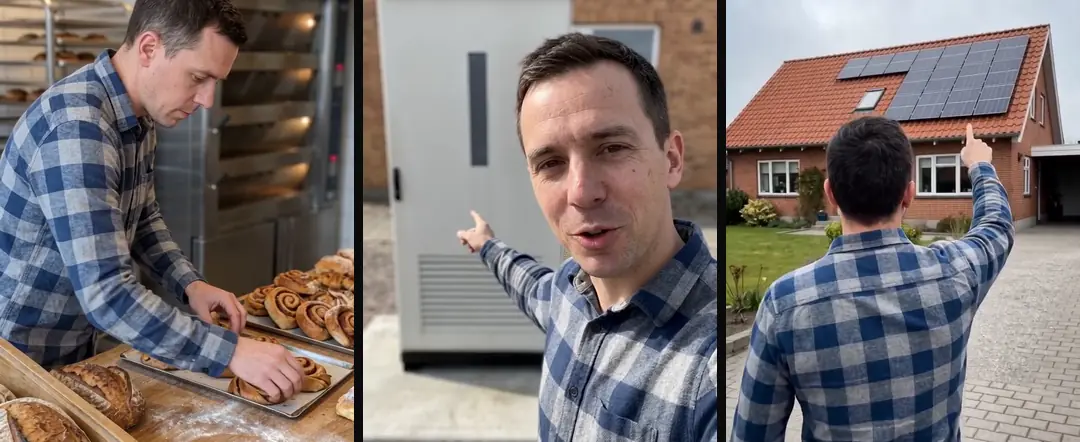
Compare stills before paying for motion
Place candidates beside the anchor at comparable viewing sizes. First inspect the face, then the silhouette, then the wardrobe and hands. A contact sheet helps reveal a gradual drift that is less obvious when each image fills the screen in isolation.
Reject a wrong still at this stage. Asking motion generation to preserve a frame with the wrong sleeve or an extra accessory makes the wrong detail part of the instruction. Also inspect the crop you intend to use: continuity that disappears outside a tight face crop may return as a problem when the editor zooms out.
Give motion a narrow job
Once the still is approved, describe one camera move and one action. The character does not need to walk across a room, pick up an object, speak, and change expression in the same shot just to make the frame feel alive.
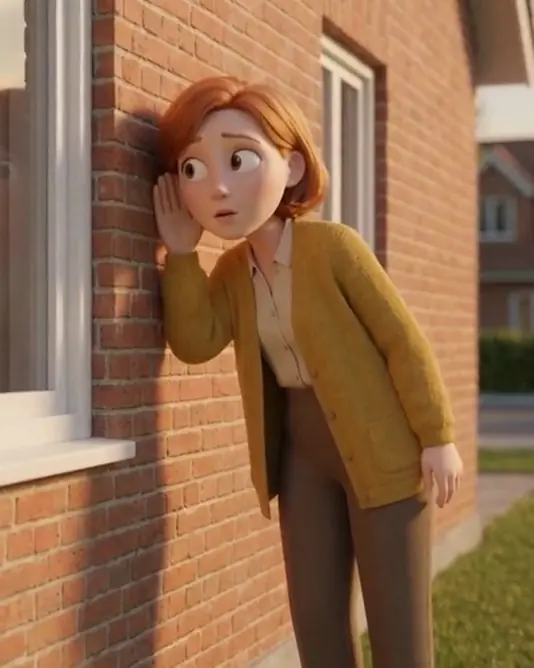
In our production in October 2026, a locked character block and style block remain unchanged across prompts. Motion instructions sit outside those blocks. That makes a revised action easier to review because the identity instructions have not also moved. If a new angle exposes an unapproved detail, return to still review rather than hoping the cut will conceal it.
- 01Lock the original portraitStable identity anchor
- 02Define visible checksFace, body, wardrobe
- 03Approve distinct anglesCoverage without drift
- 04Animate approved stillsOne move and action
Keep voice continuity in a separate record
The same-looking person can feel different when their voice changes energy or pronunciation between shots. Keep a named approved voice take associated with the character, without pretending the voice is evidence of a real person’s experience.
Fix AI voiceover pronunciation before rendering covers the pronunciation pass, and ElevenLabs music for ads: plan the full music bed covers the background bed. Use those checks on the whole sequence, not only the first close-up. A quiet explanation followed by an abruptly theatrical line may feel like a character change even when the visual reference is exact. Audio continuity and visual continuity need independent approvals.
- Weak reference practicePrevious recreation becomes the anchorMore inspectable practiceOriginal portrait remains the anchor
- Weak reference practiceFace-only comparisonMore inspectable practiceFace, silhouette, clothing, hands
- Weak reference practiceMotion repairs a wrong stillMore inspectable practiceStill approval comes first
Decide what kind of mismatch warrants rejection
Separate identity drift from a harmless scene variation. A changed shadow can belong to a new camera angle. A new haircut, unexplained jacket change, or different hand material may change who the character appears to be. Decide those boundaries in the brief so reviewers are not negotiating them after animation.
For a hypothetical kitchen scene, moving a cup is acceptable if the story allows it. Changing the narrator’s sweater between two contiguous lines is a separate wardrobe decision. Record intentional changes as story events. That prevents a correct new scene from being rejected merely because it is not a duplicate of the first frame.
Preserve the references with the edit
Keep the anchor, approved scene stills, prompt blocks, and rejected candidates’ reasons in the production package. The editor should know which file defines the person and which files merely show additional situations. Do not make a contact-sheet thumbnail the only surviving reference.
After the voice is locked, Speech to text for captions: time every word explains caption timing against the actual audio. Turntake’s models plan describes our planned model connection; continuity checking here is a recommended production method, not an automatic Turntake identity checker. A clear reference package lets the next take change the shot while preserving the decisions that made the character recognizable.
Who wrote this We made the ads first, for SmartSolar in Denmark, Sweden and Ireland. Then we built Turntake. Where Turntake comes from
FAQ
Should every new scene reference the previous image?
Use the original approved portrait as the identity anchor. Previous scene images can explain setting, but should not silently replace the person reference. Comparing new stills with the original makes accumulated changes easier to notice before animation.
What belongs in a character reference sheet?
Include visible face, hair, wardrobe, body proportions, and any hands the edit will show. Add the original file ID and planned camera views. A short inspection sheet is more useful than a biography with details that never appear.
Can a matching face still fail continuity?
Yes. Clothing, posture, body scale, hand material, and scene relationships can make the character feel different. Review the whole intended crop. A close face view can hide mismatches that become obvious in a wider product shot.
When should I animate the candidate?
Animate after the still passes identity, wardrobe, geometry, and crop review. Motion should preserve an approved visual decision. If the source still already contains the wrong detail, fixing it first avoids carrying that mistake into the sequence.
Sources
- Google: Gemini image generation checked 11 October 2026
Model facts come from each maker’s own documentation, checked on the date shown. Models change, so read the source again before you plan a batch.