ModelsGuide
Fix voiceover pacing without breaking the edit
Short answer
Fix pacing at the layer causing the problem. Rewrite redundant text, shorten excessive pauses without cutting speech, or move visual beats to the approved delivery. Treat playback-speed changes as a reviewed option rather than a default. Rebuild word timing after audio changes and inspect the complete cut for rushed words and unsupported holds.
The explanation drags, but speeding up the whole voice can make its clearest words rushed. Diagnose whether the problem is redundant text, a long pause, unsuitable delivery, or late picture placement. Repair that layer, preserve the original audio, and rebuild word timing before judging whether the finished voice-led cut now works.
Diagnose whether the problem is text or time
Listen without the video. Mark repetitive phrases, unnatural pauses, and words that arrive too quickly. These are different causes. A redundant sentence needs writing work; a long silent gap may need editing; a clear voice with a mismatched visual needs beat placement.
Write the diagnosis before changing parameters. If the complaint is that the demonstration finishes after its spoken explanation, speeding the voice may make the mismatch worse. Review the relationship between the action and sentence. A useful repair note identifies the exact interval and the intended result instead of asking for the whole ad to feel faster.
Rewrite before forcing delivery
Remove repeated setup and abstract adjectives that do not help the explanation. Keep the condition that makes the claim true. In our production in October 2026, an earlier push toward very short fragments made scripts sound mechanical, so connected sentence flow remains part of the writing review.
Read the revised script aloud. It should still introduce an object before referring back to it and explain the action in order. A word budget is useful, but cutting all connective words can leave the listener doing extra work. Shorter text should reduce the burden rather than merely reduce the count.
| Symptom | Suggested first repair |
|---|---|
| Repeated explanation | Rewrite the text |
| Long empty gap | Inspect a pause edit |
| Clear voice, late visual | Move the picture beat |
| Whole delivery unsuitable | Audition another take before processing |
Source: suggested production checklist, October 2026.
Shorten pauses without damaging speech
In our production in October 2026, broad silence removal could cut soft consonants and leave audible seams. Our method edits within pauses and preserves the edges of spoken words rather than treating every quiet interval as expendable.
Listen around each changed boundary. Keep room tone where appropriate and avoid an abrupt switch in background texture. A word beginning softly can look like silence on a simple level display. Use the waveform as a navigation aid, then judge the audible join. The file’s shorter duration does not prove that its speech remains intact.
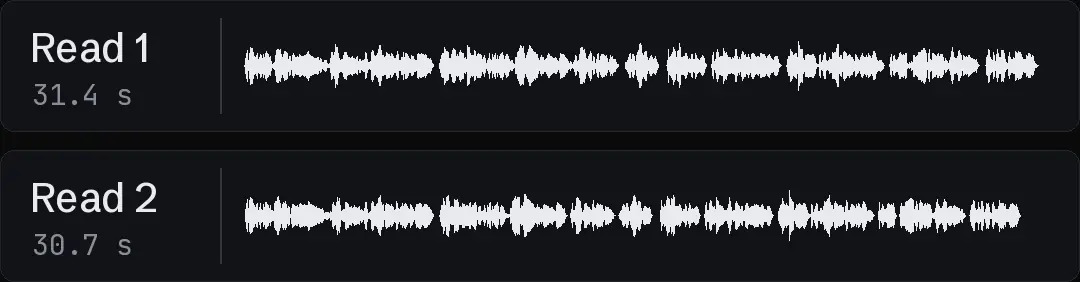
In a hypothetical sample, isolate a long pause rather than assuming that the whole delivery needs acceleration. Keep the original, edit within the pause, and listen around both speech edges for damaged consonants or an audible seam. The next sentence now arrives earlier, so its word timing and picture beat need updating. Review that revised relationship in the complete cut before deciding that the shorter audio is also the clearer explanation.
Treat speed controls as version-specific
In our production in October 2026, a speed parameter did not change the intended Eleven v4 delivery in the integration used on October 10. That is a dated observation about our route, not a statement about every current endpoint. The ElevenLabs model overview provides official version context; it does not establish our observed result. Verify the interface you actually use.
For local processing, FFmpeg: filters documentation documents the atempo audio filter. It changes audio tempo; it is not a writing or pronunciation repair. If you use tempo processing, audition the resulting voice carefully and keep the original. A parameter value that produces the desired duration can still produce a delivery the reviewer rejects.
Move the picture to an approved voice
After the voice is accepted, obtain its word timing and map the visual beats to the relevant words. A product reveal can land on the phrase that identifies it. A closing screen can begin when the next action is introduced.
In our production in October 2026, a new voice is mapped to an existing edit rather than automatically generating new pictures. Beats that need excessive stretch or a long frozen tail are flagged before building. Choose another source interval, a neighboring beat, or new coverage when the approved picture cannot honestly fill the new timing.
- 01Diagnose the slow layerText, pause, delivery, picture
- 02Repair the smallest causePreserve speech and meaning
- 03Align the accepted audioNew word map
- 04Review the rebuilt cutJoins, coverage, close
Keep speaking visuals in scope
A new audio track can affect a visible mouth even when the script remains unchanged. Decide whether that speaking shot needs a new synchronized performance or whether appropriate silent coverage can carry the sentence.
Seedance face detected: the route from our tests explains a provider-specific refusal and a separate portrait-and-voice route. That route decision should not be confused with pace approval. Keep the same person across AI ad shots covers visual identity across shots. Preserve the character reference if the performance is regenerated, then inspect the new mouth and gesture against the accepted voice rather than assuming continuity from the filename.
- Audio repairRewrite or edit pausesPicture repairMove beats to accepted words
- Audio repairAudition processed speechPicture repairReplace insufficient coverage
- Audio repairRebuild word timestampsPicture repairRecheck visible mouths and joins
Rebuild captions after the audio changes
Pause edits and tempo processing change word positions. Run alignment against the accepted processed file, then map normal written spelling onto its spoken intervals. Do not reuse old caption times because the visible script looks unchanged.
Fix AI voiceover pronunciation before rendering covers pronunciation review. Recheck difficult words after processing, especially at the edited boundaries. A correctly pronounced original can become less clear when compressed or joined too tightly. Keep those listening notes separate from the caption spelling check so a visually tidy word does not conceal a damaged sound.
Verify the final voice-led cut
Play the complete render. Check the first line, a dense middle phrase, every repaired interval, and the final action. Listen for seams, rushed words, and music that now enters over a changed pause. seedance vs kling vs veo gives the wider production context.
Turntake’s models plan describes the planned model connection. Save the original voice, accepted revision, processing notes, word map, and changed beat ranges. The repair is complete when the explanation remains clear and the picture follows it coherently, rather than when the duration alone matches a target.
Who wrote this We made the ads first, for SmartSolar in Denmark, Sweden and Ireland. Then we built Turntake. Where Turntake comes from
FAQ
Should I speed up every slow voiceover?
Diagnose the cause first. Redundant wording, long pauses, and late visual beats need different repairs. A speed change can worsen a voice-picture mismatch or make a clear line rushed. Keep the original and audition the actual processed result.
Can silence removal damage words?
Yes, quiet speech edges can be mistaken for silence. Our production recorded clipped soft consonants with broad removal. Edit within pauses and listen around the joins. A shorter file is not proof that every spoken word survived intact.
Do I need new captions after a pause edit?
Yes. The audio timing has changed even if the script has not. Align against the accepted edited file and inspect the affected phrases. Keep normal spelling separate from pronunciation input so text and timing remain independently reviewable.
What should I do when a shot is now too short?
Choose another usable interval, adjust neighboring beats, or obtain appropriate new coverage. Do not conceal the gap with an excessive freeze or misleading action speed. Map the picture to the approved voice and inspect the resulting sequence.
Sources
- ElevenLabs: model overview checked 11 October 2026
- FFmpeg: filters documentation checked 11 October 2026
Model facts come from each maker’s own documentation, checked on the date shown. Models change, so read the source again before you plan a batch.